
File Protection in Guitar Pro 8
Guitar Pro offers built-in file protection to secure your work against unauthorized modifications or to share locked scores. This feature helps creators safeguard their files or teachers preserve the integrity of their lessons.
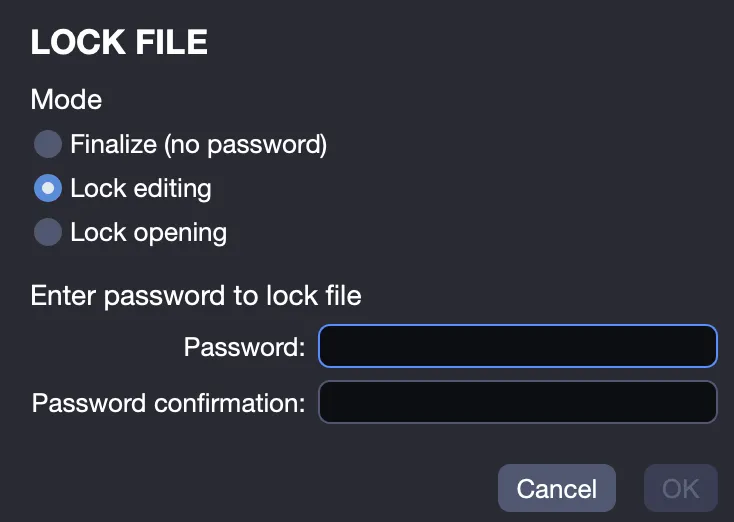
Access these options via File > Lock/Unlock to manage file security.
Protection Options
Finalize
Use Finalize to lock your file, preventing any modifications until it is unlocked. This allows you to keep a completed project unchanged, with the option to unlock it later for further edits.
Lock Editing
Select Lock Editing to prevent modifications, protected by a password. This option is useful for teachers, for example, sharing exercises or tablatures with their students, ensuring the original remains intact. Only the password holder can edit the file.
Lock Opening
Choose Lock Opening to restrict access to the file, requiring a password to open it. This option is suitable for professionals distributing lessons or anyone wishing to limit file access to authorized users.
Keep your password in a safe place; if lost, the file cannot be opened. This protection is basic and not designed to withstand determined attempts to bypass it; it is intended for simple security rather than advanced protection.