
Stylesheet: Header & Footer Settings in Guitar Pro 8
Overview of the Header and Footer tab
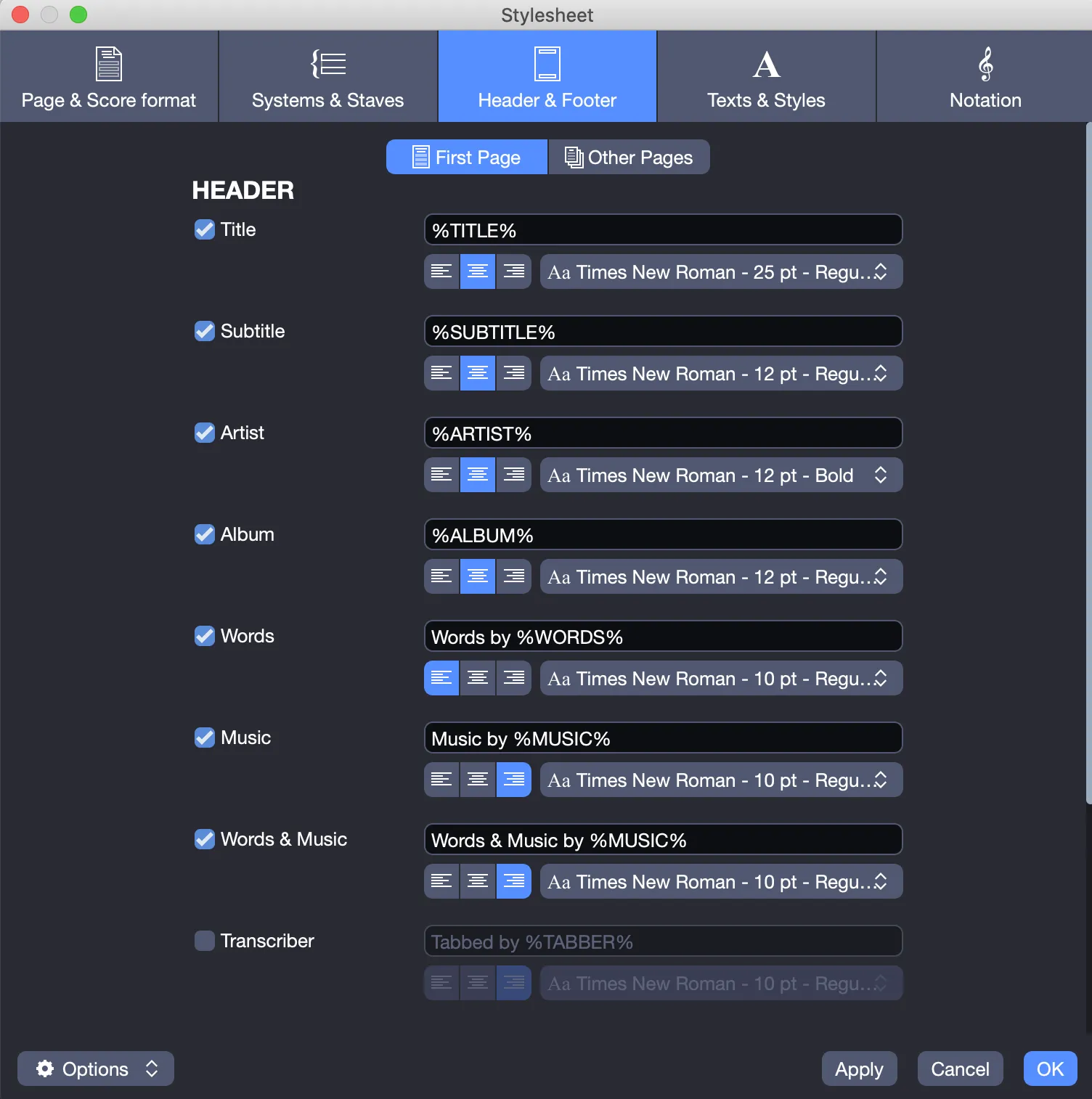
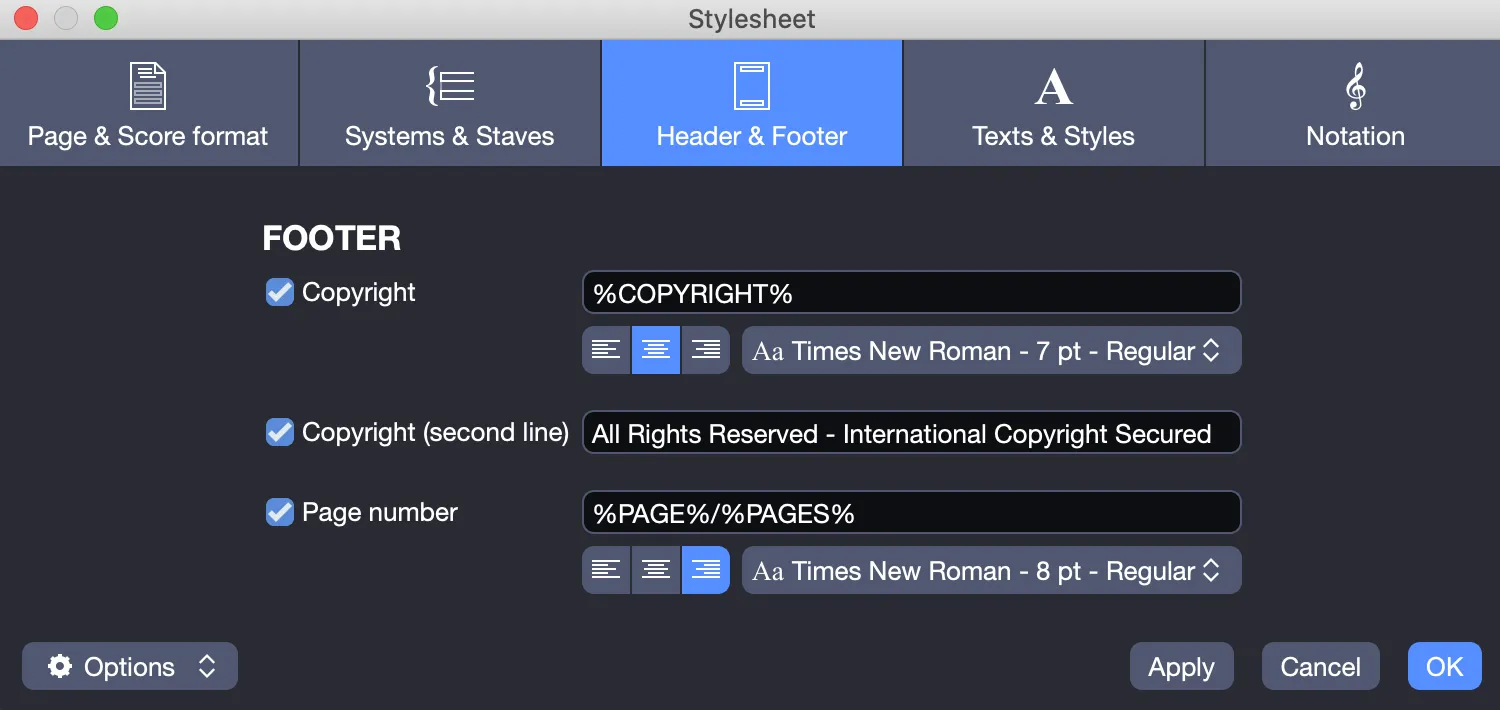
The Header and Footer tab allows you to customize the information displayed in the headers and footers of your score.
Tokens
Guitar Pro provides a list of tokens (surrounded by the % symbol).
These tokens enable you to insert score information into headers and footers.
Here is the list of available tokens:
| Token | Description |
|---|---|
| %TITLE% | Score title |
| %SUBTITLE% | Score subtitle |
| %ARTIST% | Score artist |
| %ALBUM% | Score album |
| %WORDS% | Score lyrics |
| %MUSIC% | Score music |
| %TABBER% | Score transcriber |
| %COPYRIGHT% | Score copyright |
| %PAGE% | Current page number |
| %PAGES% | Total number of pages |
Customization
Configure headers and footers for a professional presentation.
Enable or disable elements: Check the tokens you wish to display based on your preferences.
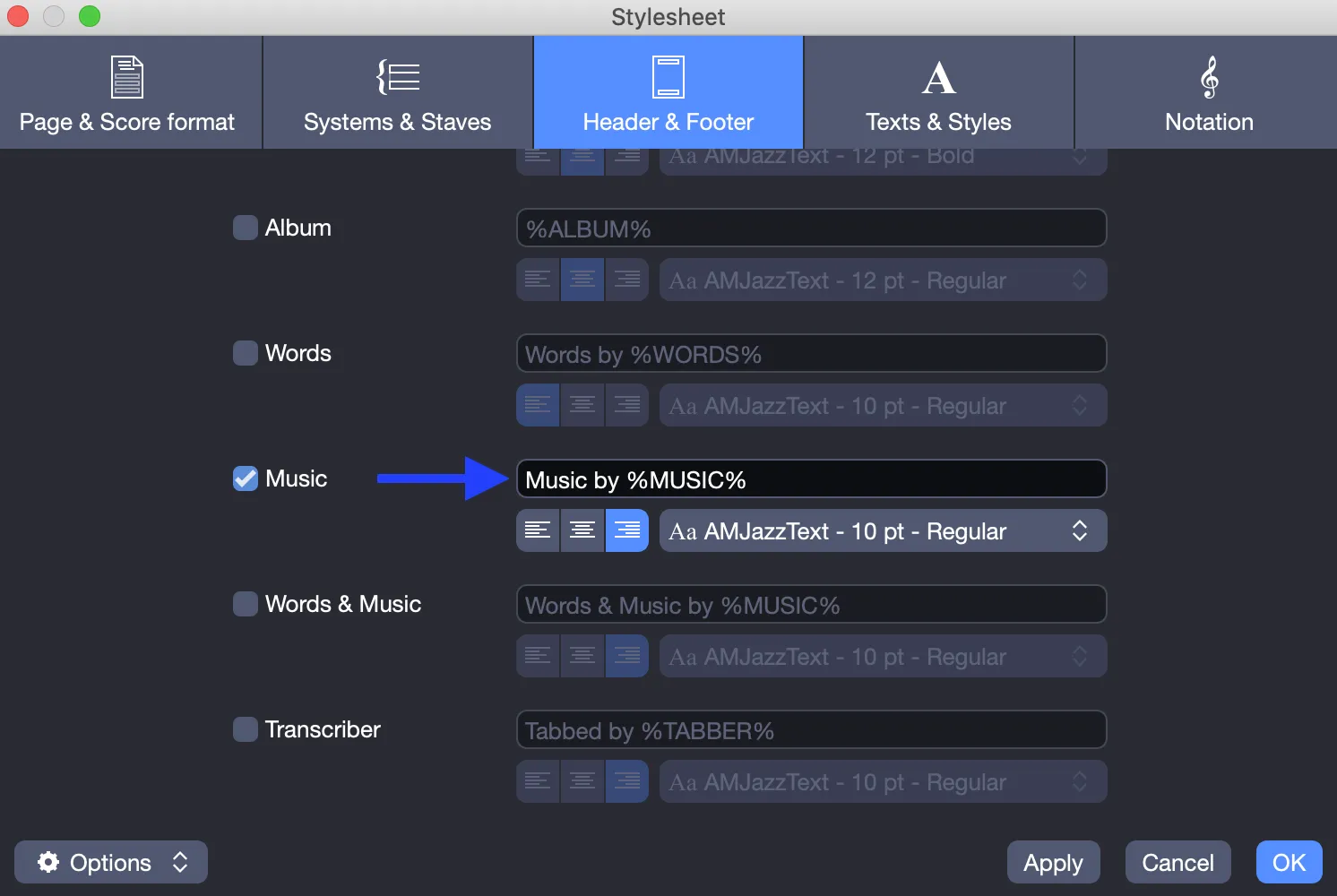
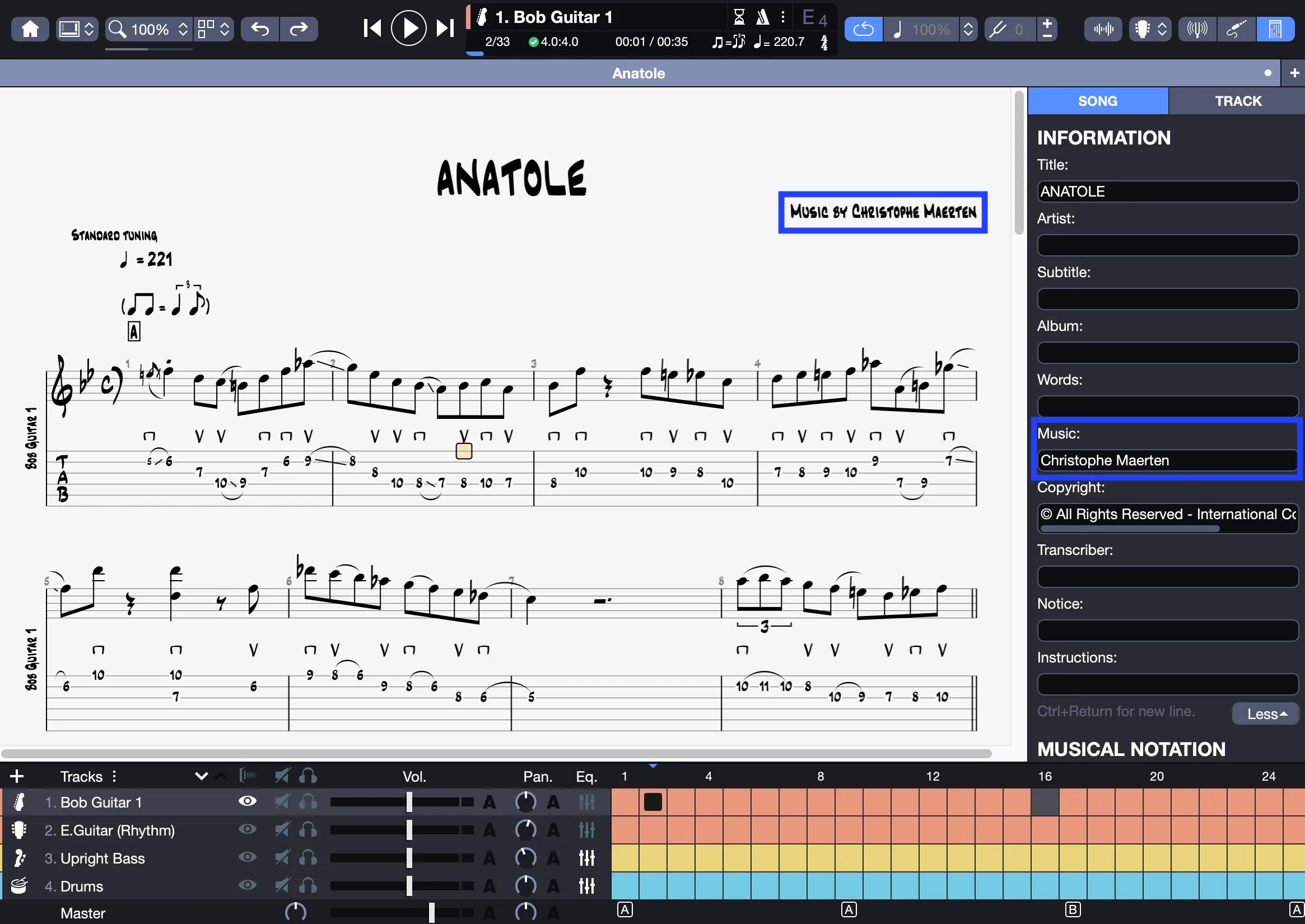
For example, by checking Music, the information placed before %MUSIC% (here, “Music by”) will appear in the score, completed with the content of the Music field from the song information.
Modify labels: Replace default labels (e.g., “Music by” with “Composed by” or “Arranged by”) for each token (e.g., %COPYRIGHT%).
Customize formatting:
- Choose the font, size, and style for each element.
- Set the alignment: left, right, or centered.
In the following example, the “Phosphate” font is applied to a centered title:
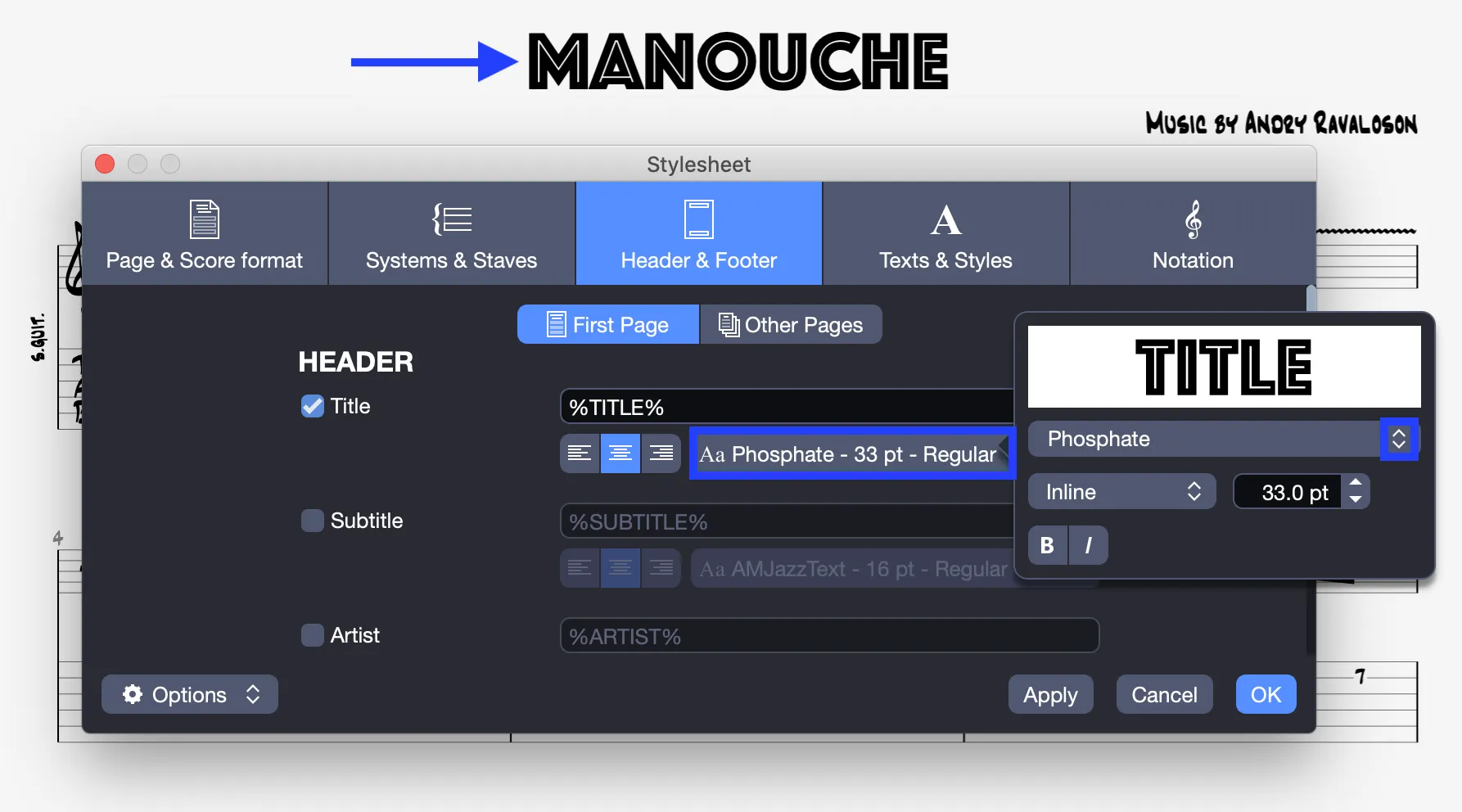
Configure other pages: Select Other pages at the top of the window to customize headers and footers for subsequent pages.

To edit the score information (title, artist, copyright, etc.), use the Score Inspector on the right side of the Guitar Pro 8 window (see Song Information in Guitar Pro).