
Manage Purchases and Access Free mySongBook Content in Guitar Pro 8
Easily manage your mySongBook scores, accessing a vast catalog of professional tablatures through purchase options, subscriptions, and daily free content.
Purchase a Score with Credits
The mySongBook offer previously allowed the purchase of individual scores using mySongBook credits.
This credit offer is no longer available at this time. However, you can still use your remaining credit balance to purchase an individual score (and access it even after your subscription has expired).
Purchase an individual score using a mySongBook credit to unlock your selected title:
Choose a title from the mySongBook library and click the “+” sign next to the title.
Select Buy for 1 credit(s) to complete the purchase.
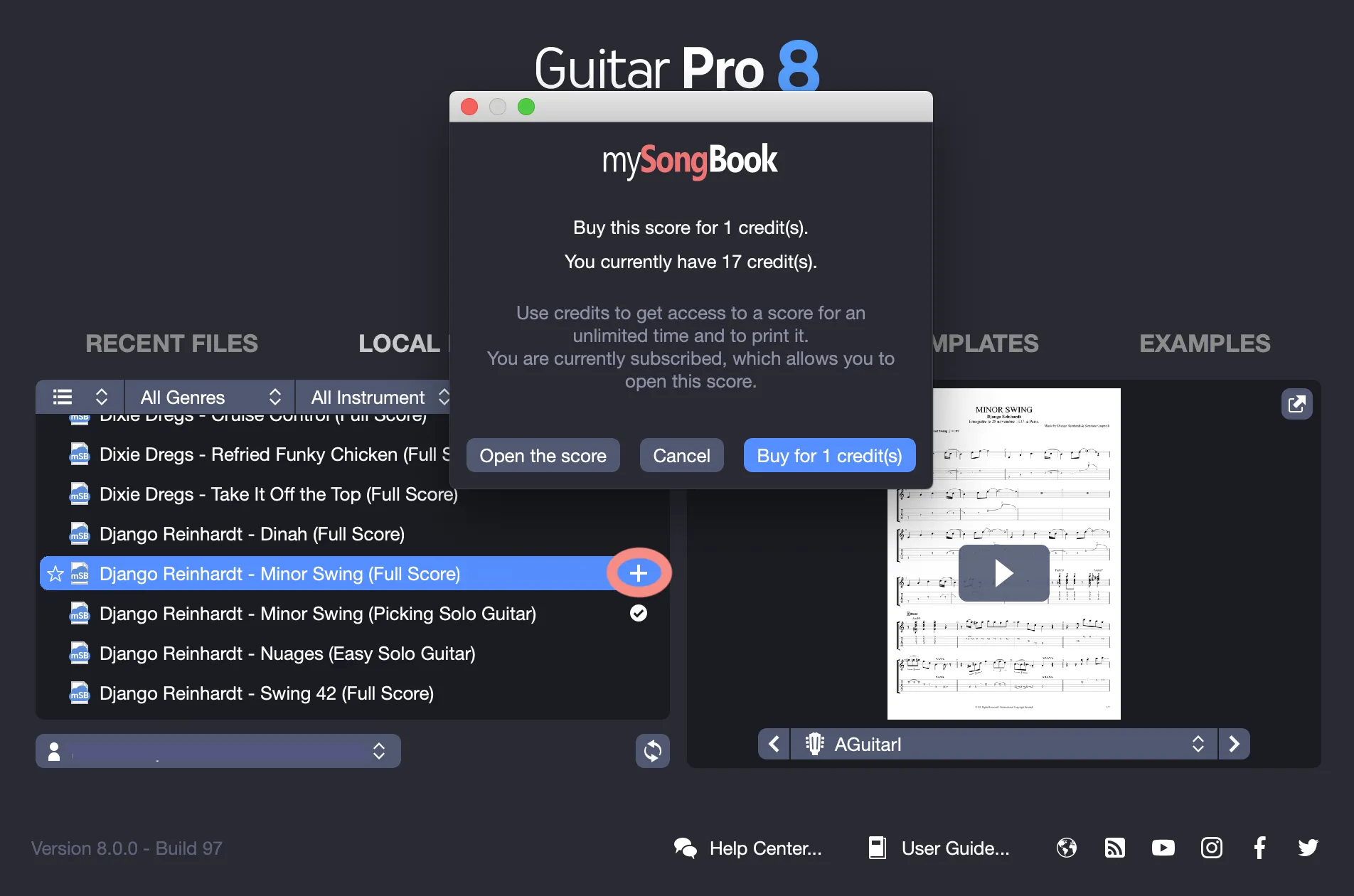
If you have no credits left, it is no longer possible to top up your account. However, you can subscribe to mySongBook on the guitar-pro.com website.
Consult Your Purchases in mySongBook
View your purchased scores in the My Purchases category.
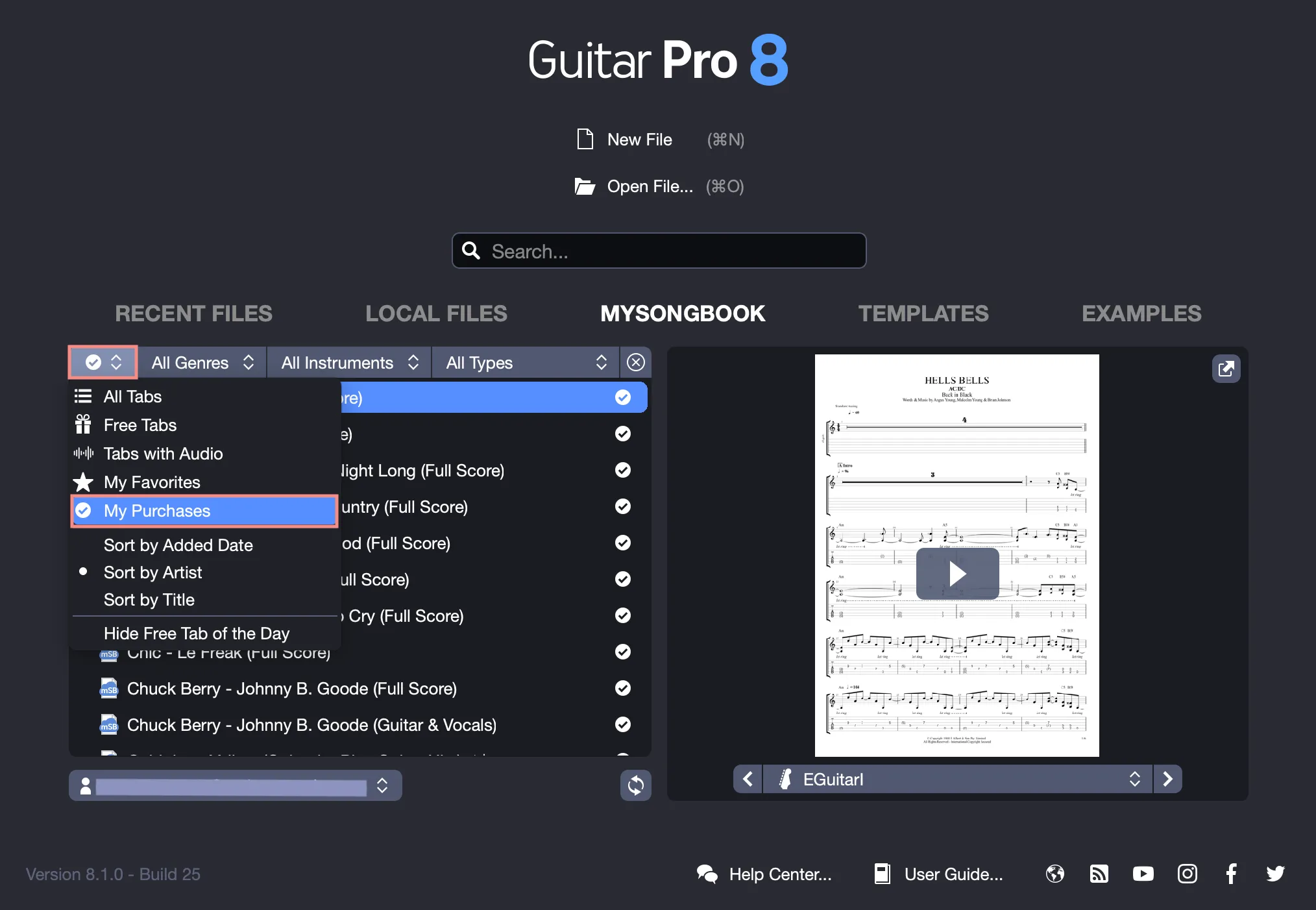
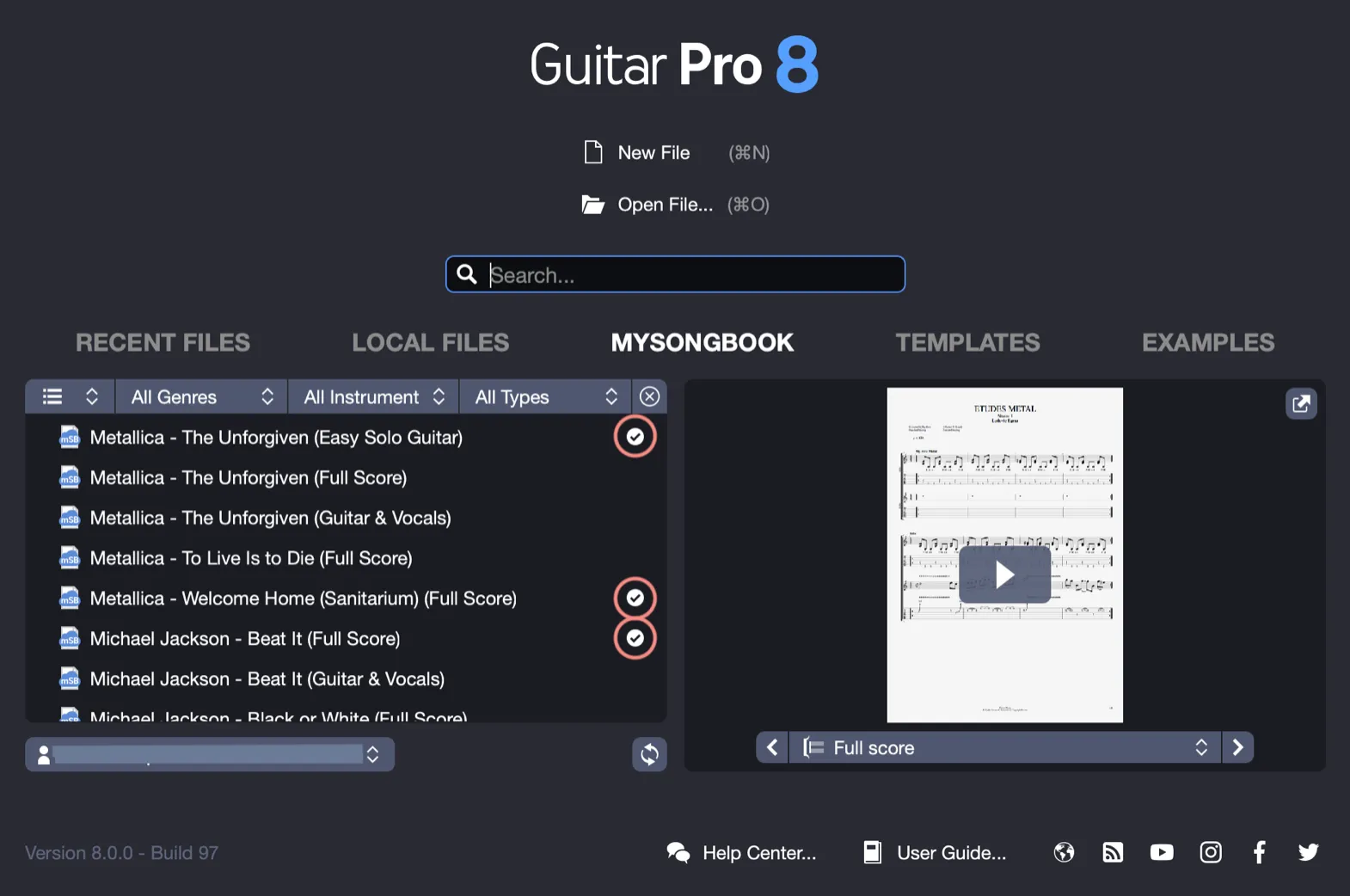
Each title is marked with a checkmark on the right in the list for easy identification.
Use the Free Tab of the Day and Access Offered Titles
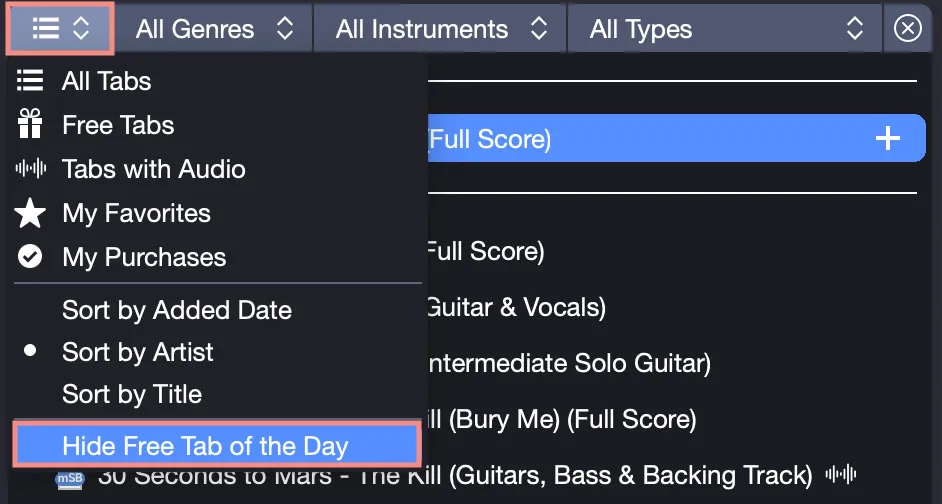
Discover new music daily with a free score (Free Tab of the Day), available for 24 hours at the top of the mySongBook section on the Guitar Pro homepage.
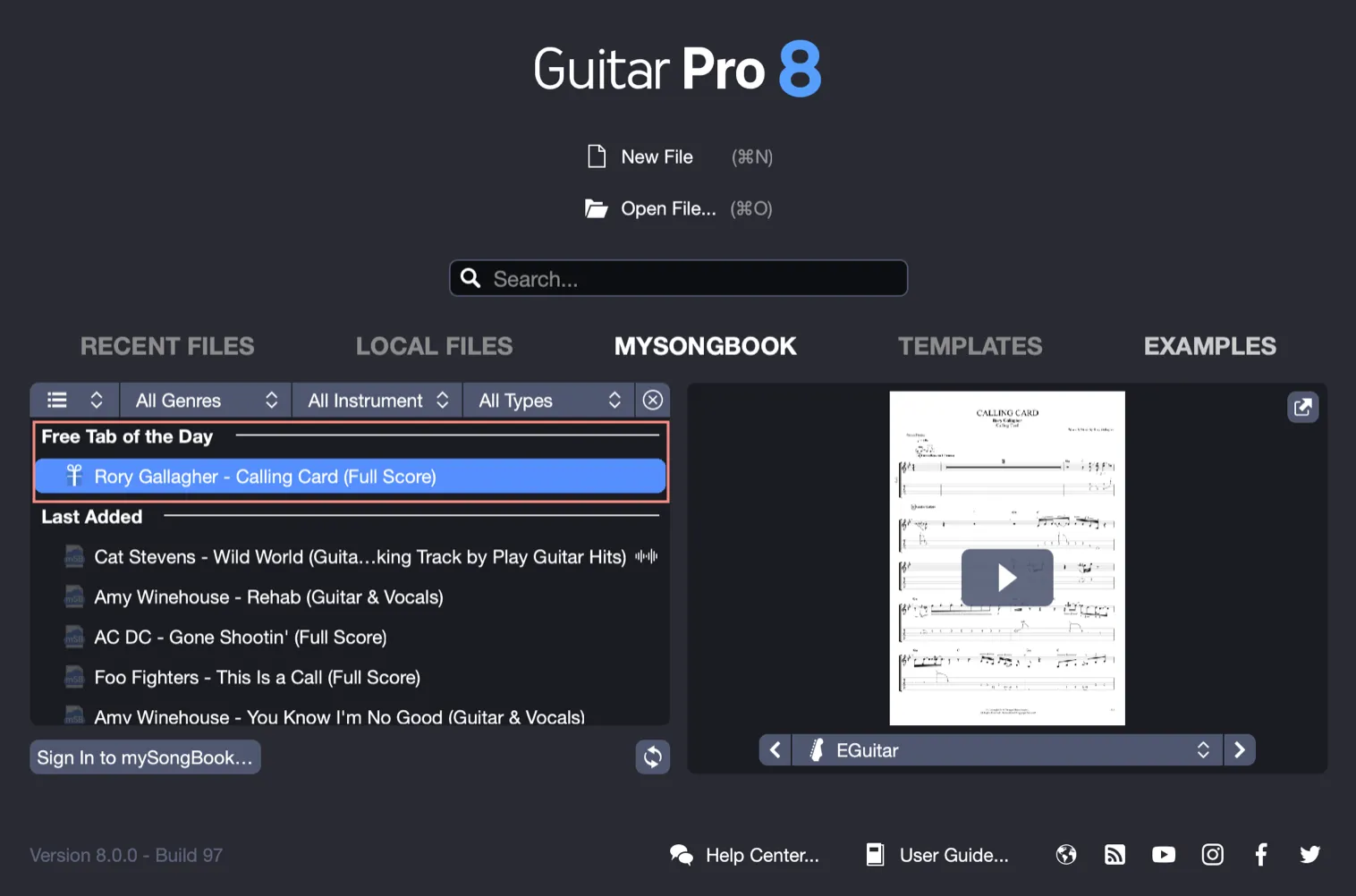
Disable this daily suggestion by checking Hide the Free Tab of the Day in the mySongBook settings.
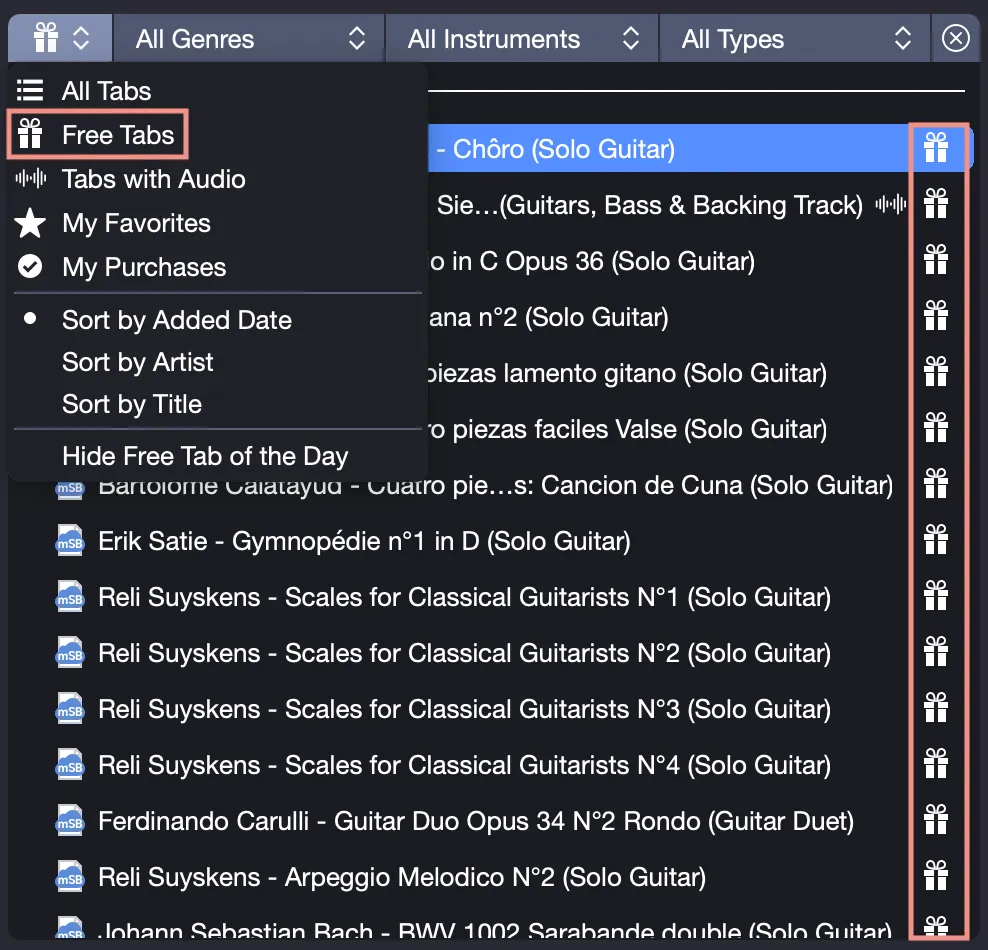
Free Tabs
Browse a curated selection of offered titles by selecting the Free Tabs tab. This is perfect for trying out new songs without using credits.
Manage Your Subscription and Account
To gain full access to the catalog, it is necessary to subscribe to a mySongBook subscription.
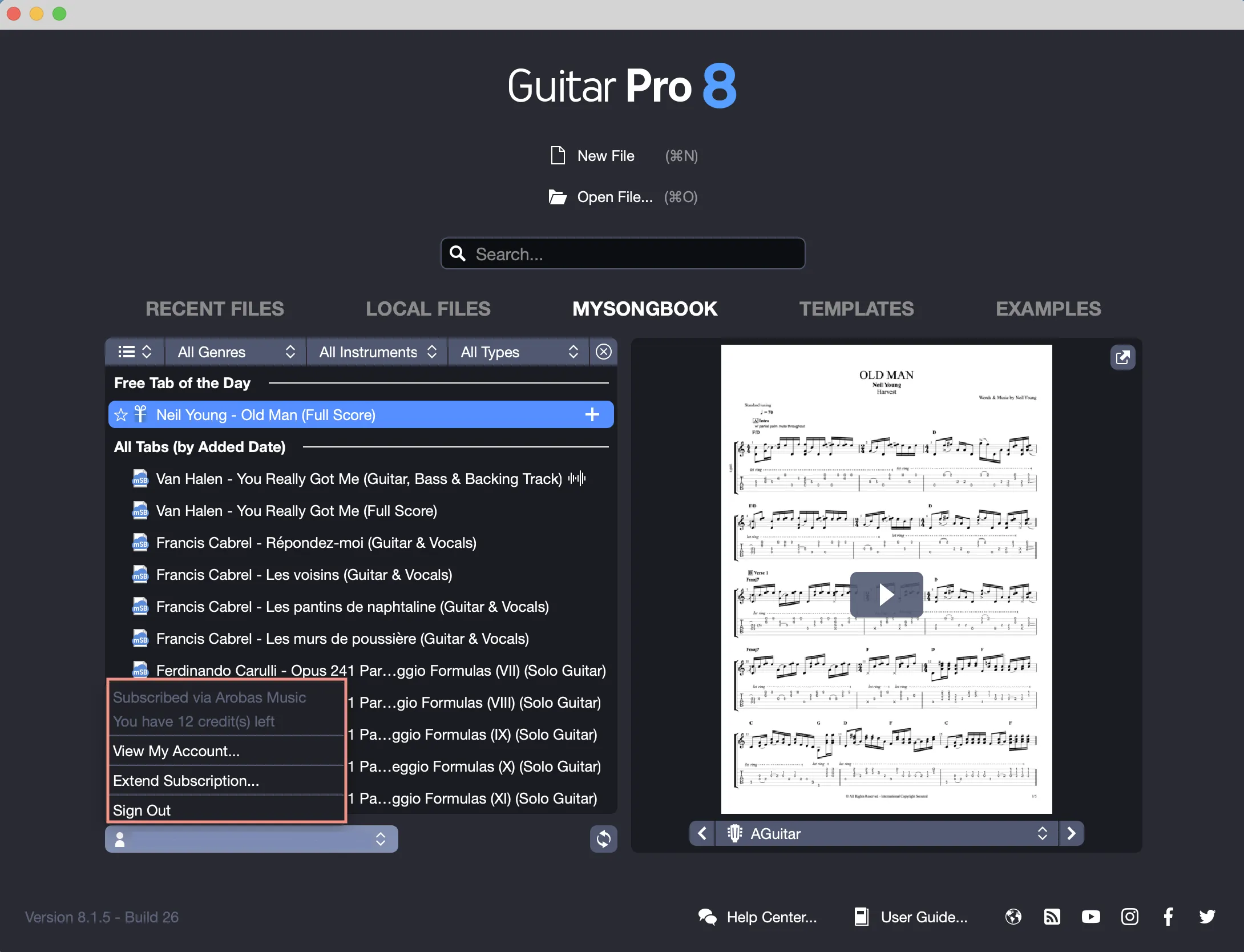
You can check your remaining credit balance or manage your subscription by selecting your email address in the Guitar Pro interface.
For more information about the mySongBook offer, visit guitar-pro.com.
Regularly check your subscription status to enjoy uninterrupted access to the full mySongBook library.