
Bends in Guitar Pro 8
Bends, or string bends, in Guitar Pro allow you to raise the pitch of a fretted note by pulling the string with a left-hand finger, adding a melodic effect to your scores.
Available in the Editing Palette and the Effects menu, this essential guitar technique is customizable in Guitar Pro 8 through a dedicated window.
Understanding Bends
A bend involves pulling a fretted string to increase its tension, altering its pitch, often from a quarter to several tones. This effect is common in styles like blues, rock, or jazz, where it adds expressive variation to a note or phrasing.
Configuration in the Bend Window
Access the Bend window via the  icon in the Editing Palette, the Effects menu, or the B keyboard shortcut.
The Bend window lets you define the bend’s curve by moving blue points.
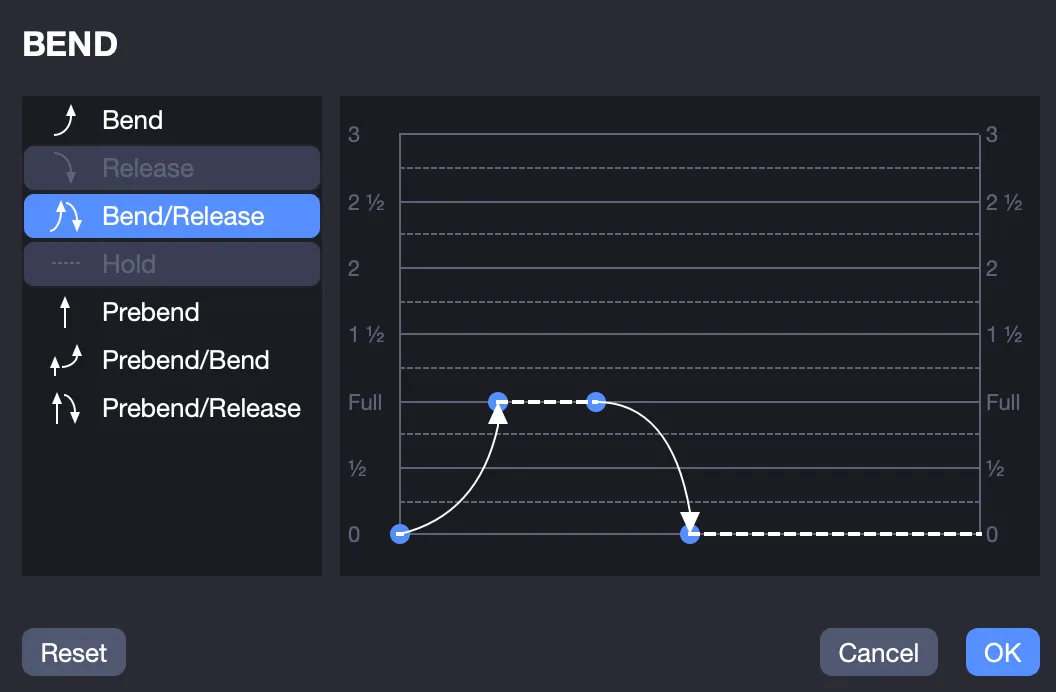
The vertical axis adjusts the pitch of the bend, from ¼ tone to 3 tones.
The horizontal axis adjusts the temporal progression of the bend, spread over the note’s duration.
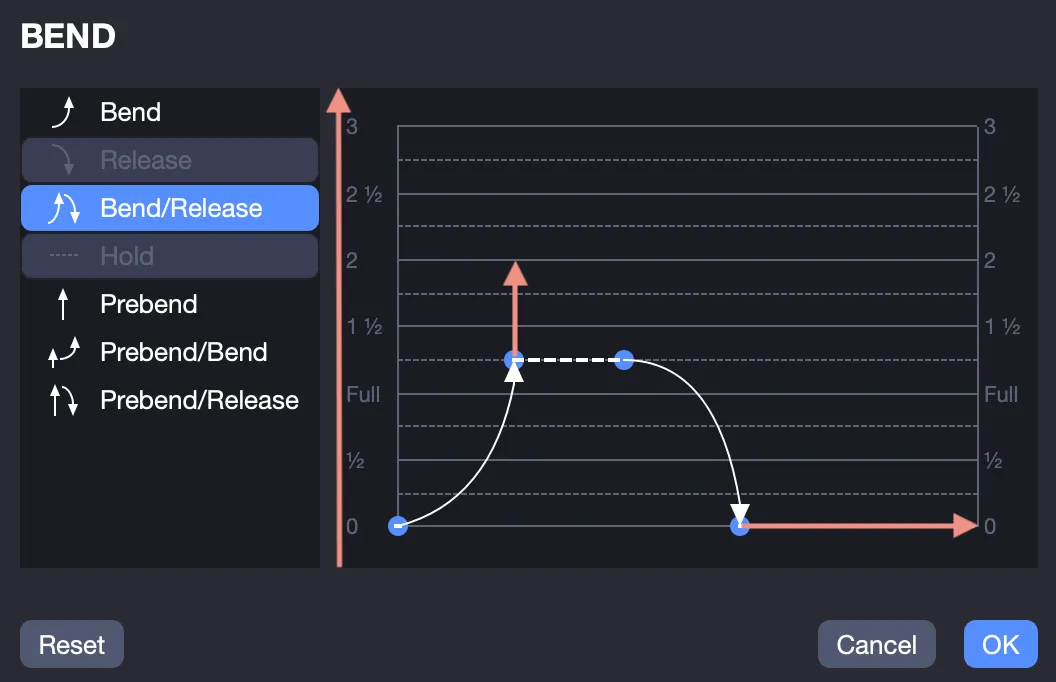
Editing options in the Bend window include:
- Bend: Pulls the string to raise the pitch (e.g., a one-tone ascent).
- Release: Releases the string to return to the original pitch.
- Bend/Release: Combines an ascending bend followed by a release.
- Hold: Sustains the altered pitch after the bend.
- Prebend: String is pre-pulled before playing (raised pitch at the start).
- Prebend/Bend: Starts with a pre-pulled string, then raises the pitch further.
- Prebend/Release: Starts with a pre-pulled string, then releases to the original pitch.
Select a note in the score, then configure the Bend window, choosing the bend type, pitch (1/4 to 3 tones), and adjusting the temporal progression.
You must first tie notes together to use the Hold option.
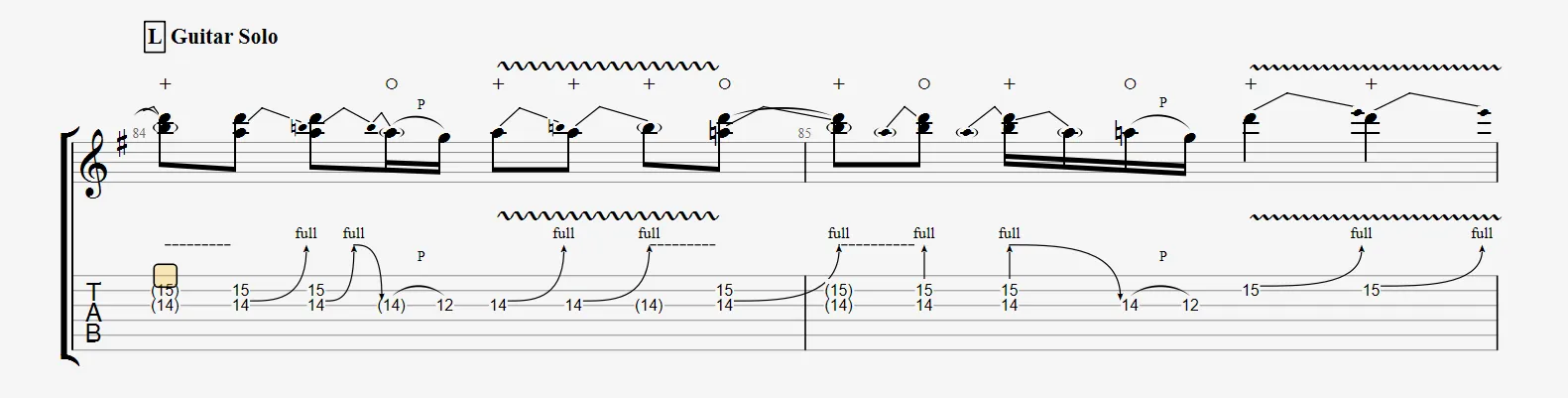
Go to File > Stylesheet > Notation to display the actual heard note for bends in standard notation.