
Dead Notes and Ghost Notes in Guitar Pro 8
Dead notes and ghost notes allow you to adjust the dynamics or articulation to add rhythmic or expressive effects to your scores.
These techniques are available in the Editing Palette and the Note menu. They include dead notes, dead slaps, and ghost notes, commonly used in guitar and bass playing.
Dead Note
 A dead note produces a short, percussive sound. It is used to reinforce rhythm or to create specific patterns.
In Guitar Pro, this effect is represented with a cross (x) on the tablature. It is primarily used for guitar, to indicate precise rhythmic articulation.

Dead Slap
 A dead slap is a bass technique where the left hand (for right-handed players) slaps the strings, producing a percussive sound without a defined pitch.
In Guitar Pro, the dead slap is visually notated, but not played back by the audio engine.
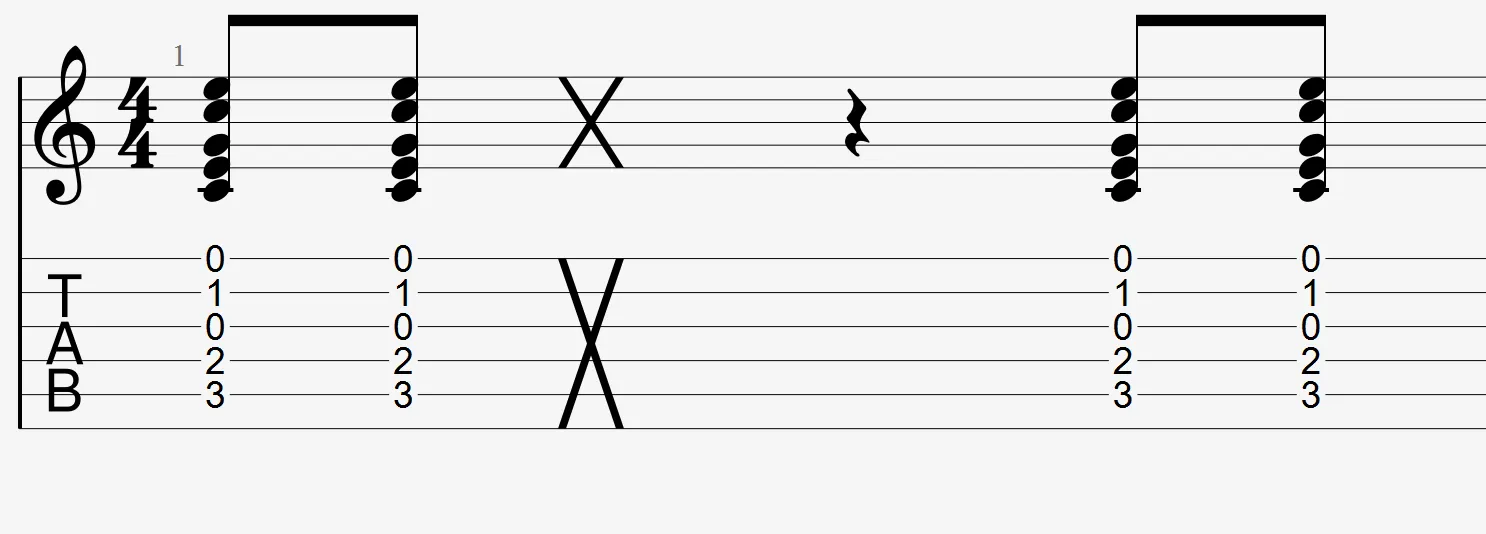
Like the pick scrape, the dead slap is only notated and not interpreted by Guitar Pro’s playback engine.
Ghost Note
 A ghost note is played with a very low dynamic. It adds subtle rhythmic or expressive detail to your music.
In Guitar Pro, it appears in parentheses on the tablature. In drum notation, ghost notes are often used to enrich grooves, particularly on the snare drum.

Application
Select the notes you wish to modify, then apply the desired effect from the Editing Palette:
- Dead note: produces a short, dry sound. It is shown with an “x” on the tablature.
- Dead slap: adds the appropriate symbol. No sound is generated.
- Ghost note: the dynamic is lowered. The note is displayed in parentheses.