
Bar Symbols in Guitar Pro 8
The bar symbols control the temporal and organizational structure of your score.
They include essential settings for configuring your project, such as clefs, key signatures, time signatures, repeat signs, etc.
These tools define the rhythmic framework and transitions of your music, facilitating navigation and repetition of segments.
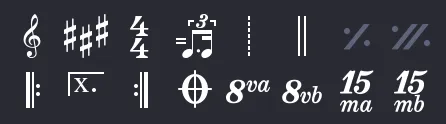
| Icon | Name | Quick Description |
|---|---|---|
 |
Clef | Change the clef of the staff. |
 |
Key Signature | Change the key signature of the staff. |
 |
Time Signature | Change the time signature of the staff. |
 |
Rhythmic Interpretation | Play, for example, 2 eighth notes in ternary swing. |
 |
Free Time | Bar played without obligation to follow the tempo. |
 |
Double Bar Line | Indicates a major change in the score. |
 |
Single Repeat Sign | Repeat the previous bar. |
 |
Double Repeat Sign | Repeat the previous two bars. |
 |
Repeat Start | The following bars will be repeated. |
 |
Repeat Close | Repeat the bars from the repeat start. |
 |
Alternate Endings | Specify what should be played for each repetition. |
 |
Directions | Advanced management of repeats and jumps. |
 |
8va Octaviation | Play 1 octave above what is written. |
 |
8vb Octaviation | Play 1 octave below what is written. |
 |
15ma Octaviation | Play 2 octaves above what is written. |
 |
15mb Octaviation | Play 2 octaves below what is written. |
Clef
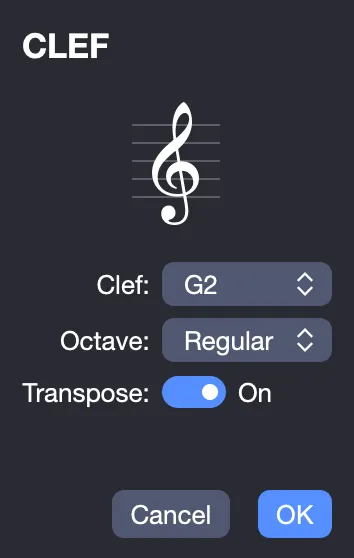
The clef indicates which note corresponds to each line of the staff in standard notation, guiding the reading of the score.
Guitar Pro 8 supports 4 types of clefs (Treble, Bass, C3, and C4) as well as 4 types of octave clefs (8va, 15ma, 8vb, 15mb). When changing the clef, it is possible to transpose the notes to maintain the same pitch.
More information on clefs in Guitar Pro.
Key Signature
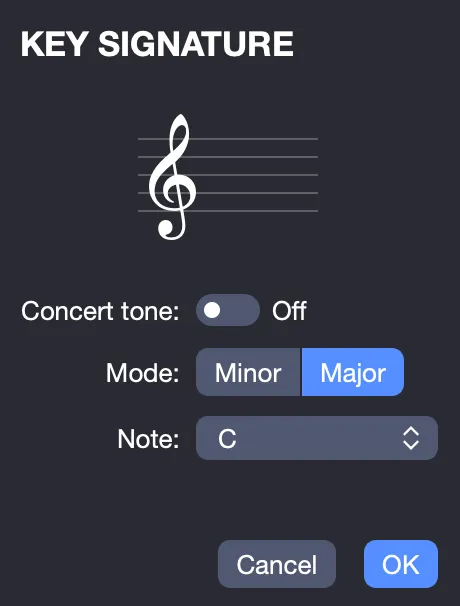
The key signature indicates which notes are altered by default (unless an accidental is applied to the note), defining the tonality of the piece or passage.
It is common to all tracks in concert pitch. The transposition key is automatically calculated by Guitar Pro 8 for transposing instruments (e.g., B-flat clarinet).
The concert pitch option cancels all track transpositions and returns them to the standard key.
More information on the Key Signature in Guitar Pro.
Time Signature
The time signature defines the type and duration of beats in the bars that follow.
The bottom number represents the unit of time (expressed as a fraction of a whole note), while the top number indicates the number of beats per bar (see Musical Notation in Guitar Pro).
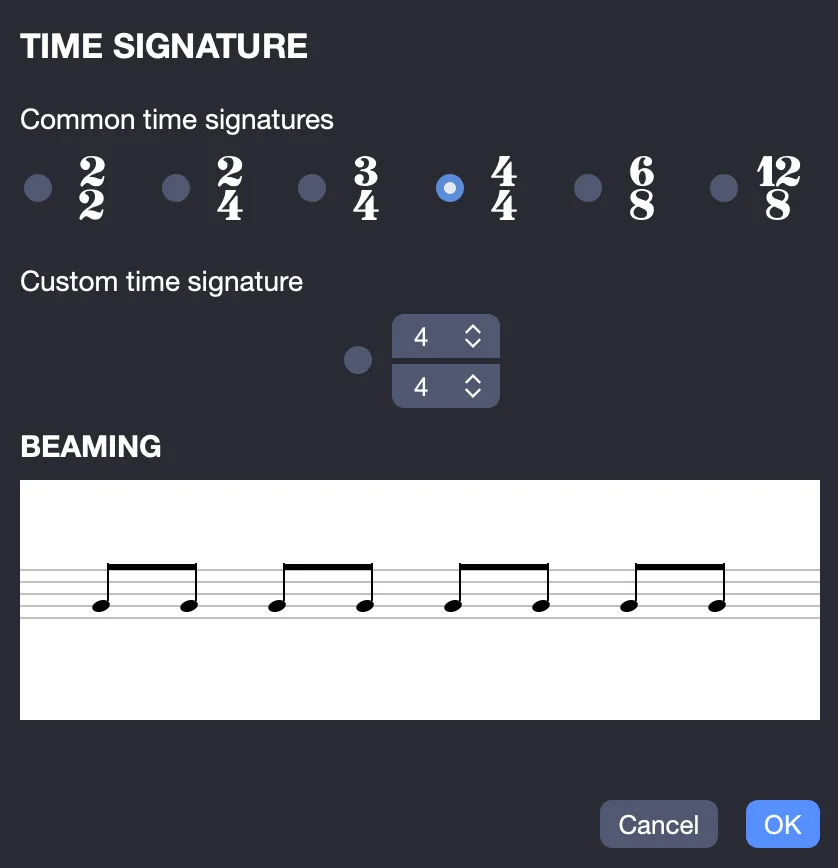
You can choose from the most common time signatures or define a custom time signature.
More information on the Time Signature in Guitar Pro.
Beaming
In this same window, you can also adjust rhythmic beaming, also called beaming, which determines how notes are connected by their stems within a bar.
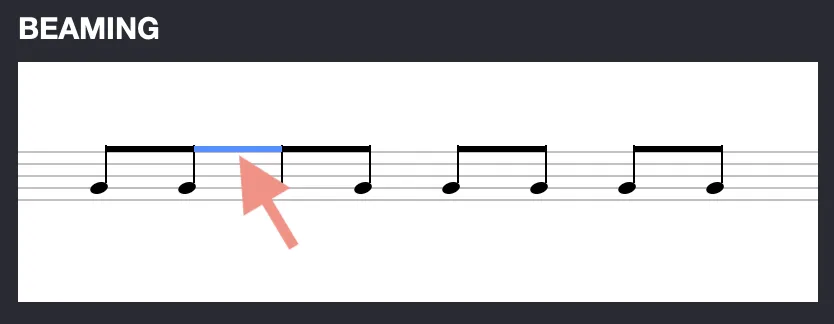
More information on beaming in Guitar Pro.
Triplet Feel
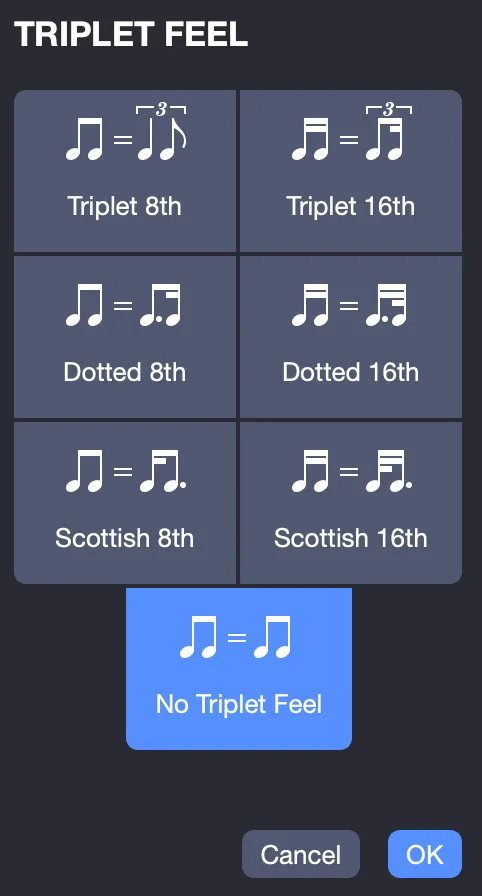
The Triplet Feel allows you to perform certain rhythms differently from how they are notated, simplifying musical notation.
It enables, among other things, playing binary bars in ternary, such as a swing. Guitar Pro 8 offers several rhythmic interpretation patterns, the most common being the triplet feel 8th, ideal for playing a blues in a 4/4 time signature.
Free Time
Free time bars are played without the obligation to follow the tempo, offering expressive freedom, useful for cadenzas or free intros. The bar lines are dotted, and the time signature is in parentheses.
Double Bar Line
The double bar line indicates a change of section, key signature, or other major change in the score, serving as a musical marker. Guitar Pro 8 automatically inserts them at each key signature change, but you can add them using this icon to mark transitions, such as from verse to chorus.
Single Repeat Sign
The single repeat sign indicates that the previous bar is repeated exactly, simplifying editing and the score.
Double Repeat Sign
The double repeat sign indicates that the previous two bars are repeated exactly, simplifying editing and the score.
Repeat Start
The repeat start replaces the bar’s start bar line, indicating that the following bar(s) will be repeated a certain number of times, depending on the repeat close (see below).
More information on Repeats in Guitar Pro.
Repeat Close
The repeat close replaces the bar’s end bar line, indicating a return to the previous repeat start. A dialog window opens to specify the number of repetitions. Example: the bar reading order is 1 - 2 - 1 - 2 - 3.
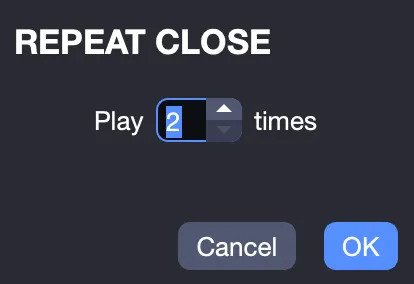
More information on Repeats in Guitar Pro.
Alternate Endings
Alternate endings add a symbol at the start of the active bar, indicating whether the bar should be played based on the number of passes. This symbol is used with repeats. Example: the bar reading order is 1 - 2 - 1 - 3.
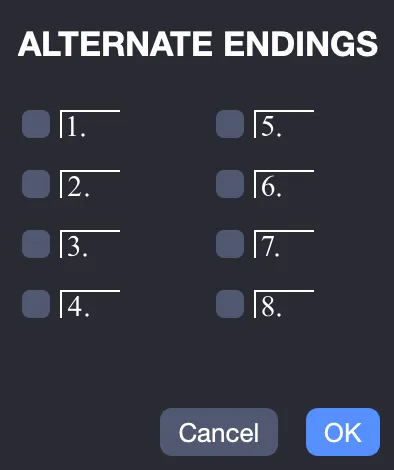
More information on Alternate Endings in Guitar Pro.
Directions
Directions allow you to add symbols such as Coda, Double Coda, Segno, Segno Segno, and Fine, as well as 11 different jumps, for complex arrangements.
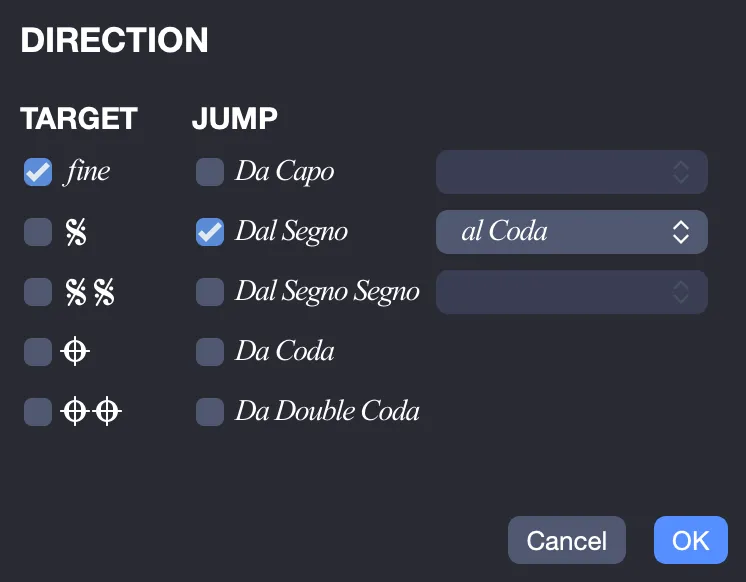
More information on Directions in Guitar Pro.
Octaviation
Octaviations adjust the playback pitch without modifying the written notes:
- 8va: Play one octave above. Notes are lowered by one octave on the staff, accompanied by the 8va symbol.
- 8vb: Play one octave below. Notes are raised by one octave on the staff, with the 8vb symbol.
- 15ma: Play two octaves above. Notes are displayed two octaves lower than their actual sound.
- 15mb: Play two octaves below. Notes are displayed two octaves higher than their actual sound.
This system is particularly useful for notating solos played in high octaves, avoiding cluttering the staff with too many ledger lines, or for adapting the reading of melodies written on high strings while maintaining legible notation.