Palm Mute in Guitar Pro 8
The Palm Mute in Guitar Pro muffles the strings with the palm of the right hand near the bridge, producing a dry and attenuated sound.
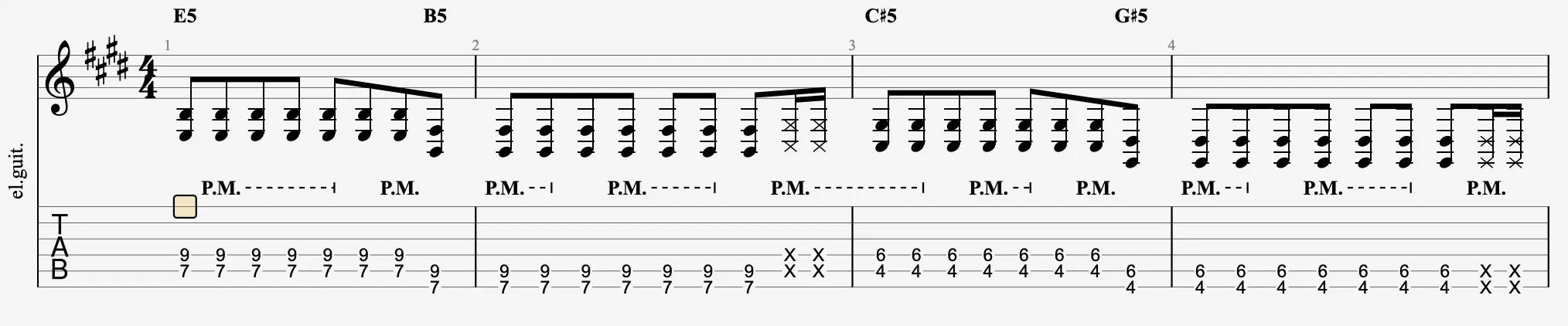
Displayed as “PM” above the tablature, this effect is adjustable in Guitar Pro 8 via the Palm Mute slider in the track inspector. This section explains its application and adjustment.
Understanding Palm Mute
Palm Mute is performed by lightly resting the palm against the strings just before the bridge, reducing their resonance.
This effect allows marking rhythms or creating contrasting accents in the performance.
Applying Palm Mute in Guitar Pro
Select a note or a series of notes, then activate the  icon in the Editing Palette.
The “PM” symbol appears, followed by dashes across the applied area, and playback produces a muffled sound.
Palm Mute Assistant
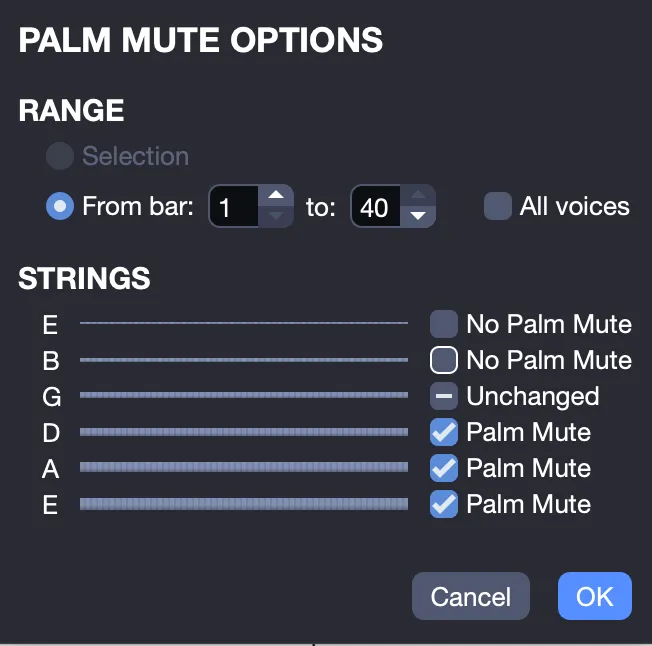
Access additional Palm Mute settings via the Palm Mute Assistant from the Tools > Palm Mute Options… menu, and apply the effect to specific strings over multiple bars.
Adjusting Intensity
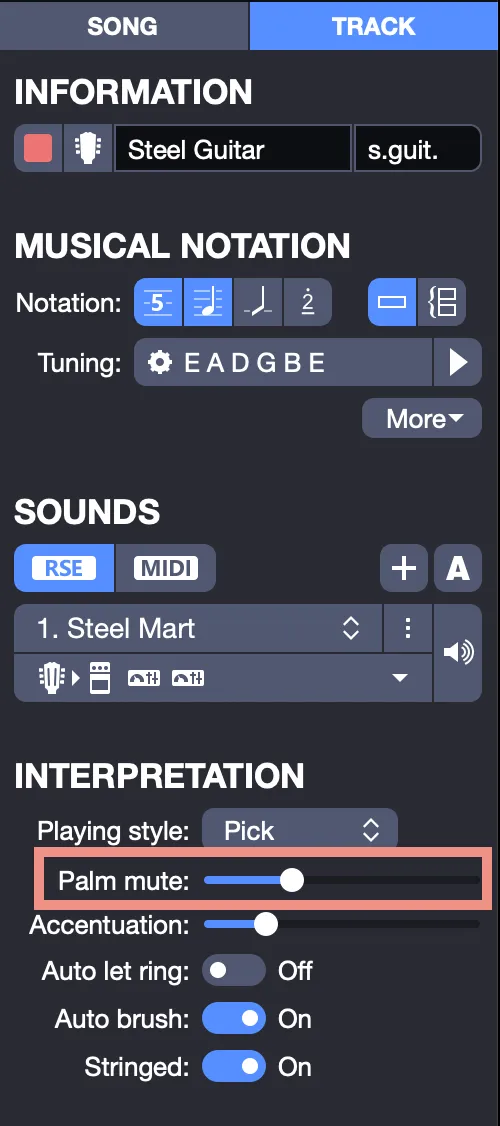
Adjust the intensity using the Palm Mute slider in the track inspector, accessible by selecting the track. The slider allows a continuous adjustment from very light to very strong muffling.