Legato, Hammer-On, Pull-Off, Tapping in Guitar Pro 8
Available in the Editing Palette and the Effects menu, the legato, hammer-on, pull-off, tapping, and left-hand tapping effects are essential for smooth and expressive playing, suitable for various musical styles.
Legato
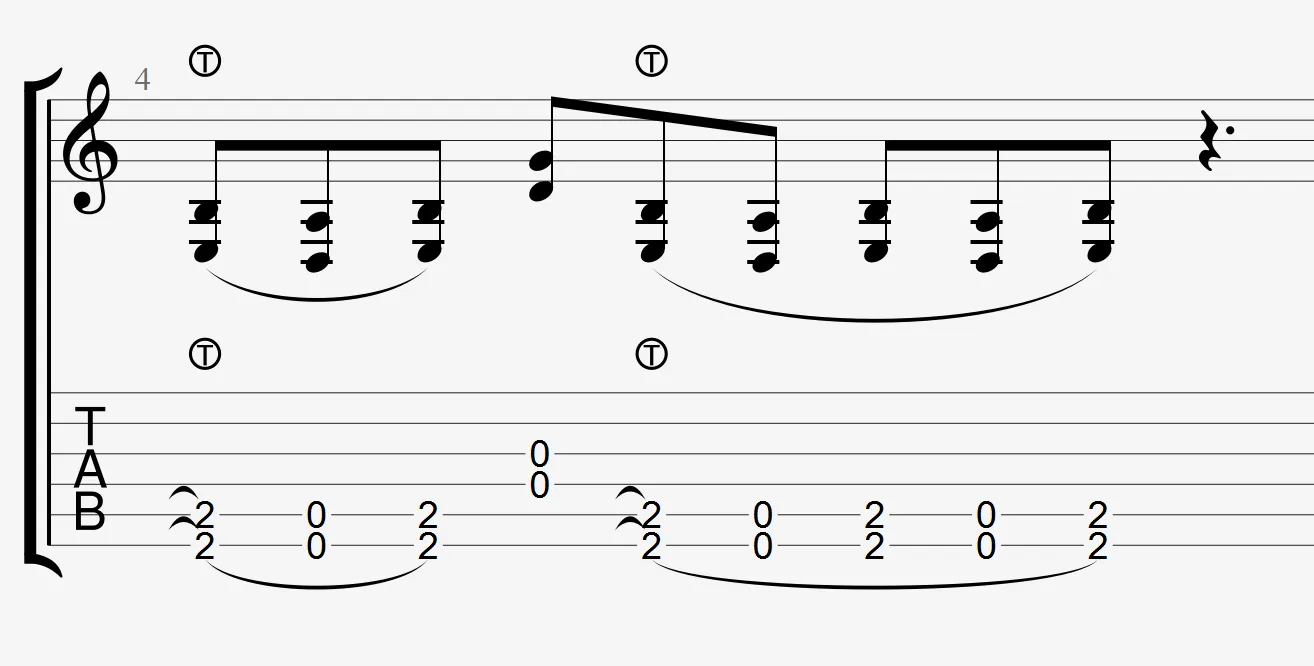
 Legato is a playing technique that connects notes smoothly, without interruption of sound. It includes hammer-ons, pull-offs, and other transition techniques, allowing you to move from one note to another without re-plucking the string, creating a smooth and continuous sound.
In Guitar Pro, a tie visually connects the notes, ideal for continuous melodies or phrasing.
Application
Select the notes to connect, then activate the icon in the Editing Palette. A tie will appear, ensuring smooth playback.
Hammer-On and Pull-Off
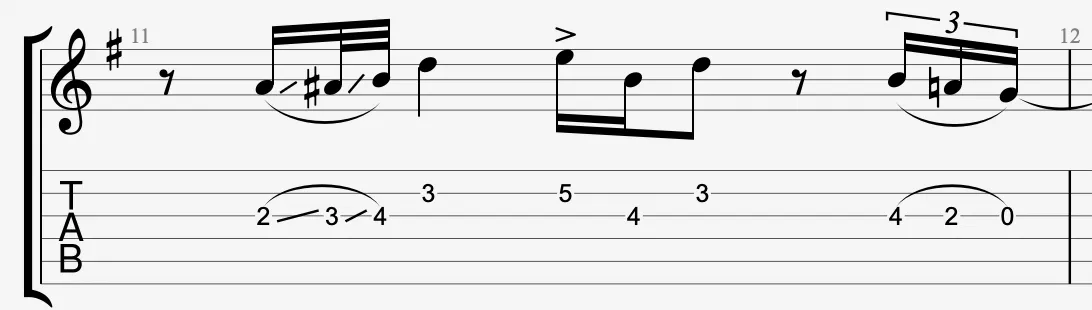
 Hammer-On: After plucking a note, a finger from the left hand strikes a fret on the same string, without re-plucking the string, to produce a higher note.
Pull-Off: After playing a note by pressing a fret, quickly remove the finger to let a lower note sound on the same string, without re-plucking the string.
These techniques link the notes smoothly, creating a continuous sound without needing to re-pluck the string, and are performed only with the left hand.
Guitar Pro automaticaly detects the direction, the tie is adjustable in the Stylesheet.
Application
Select two notes on the same string, then activate the icon. A tie will be applied, replicating a transition through finger action, ideal for fast phrasing.
Tapping
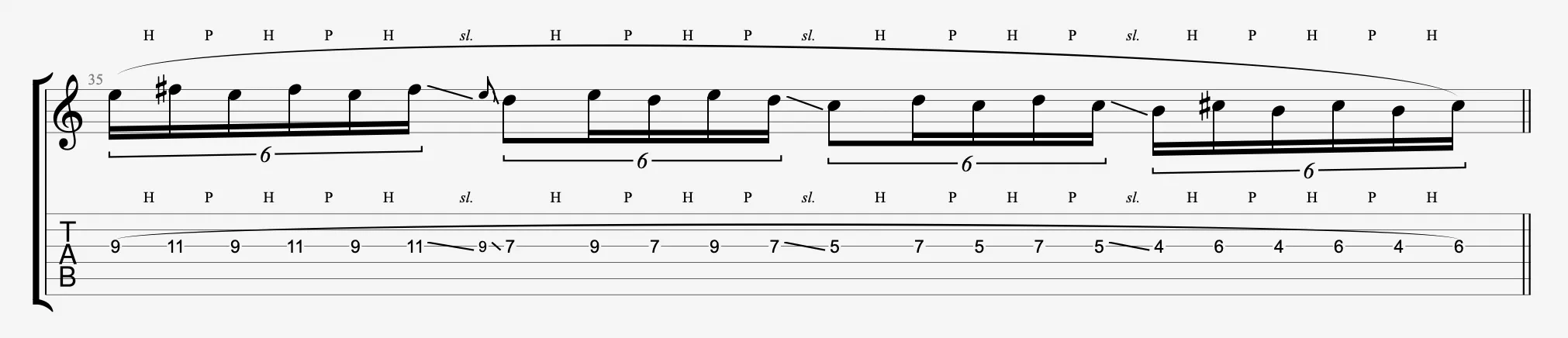
 Tapping consists of producing a note by striking the string directly on a fret with one or more fingers from the right hand (or left hand), commonly used for fast passages or percussive effects.
Marked with a “T” in the tablature, this effect is ideal for fast passages, applicable to notes or chords, with a realistic sound via RSE.
Application
Select a note or chord, then activate the icon.
The “T” symbol will appear, omitting the pick attack, ideal for complex sequences.

Left-Hand Tapping
 A variant of tapping where the left hand is used to strike the fret directly, like with the right hand in tapping. Unlike hammer-on, left-hand tapping can be performed on several frets simultaneously and allows for more complex effects.
The left hand “taps” the note using a more percussive movement to generate fast or distinct sounds, often in solos or fast passages.
Application
Select the notes where left-hand tapping is applied, then activate the icon . The “T surrounded” symbol will appear above the relevant beat.