
Natural and Artificial Harmonics in Guitar Pro 8
Harmonics produce a sound rich in upper partials, often used to create a bright and precise tone. In Guitar Pro, you can insert different types of harmonics from the Editing Palette and the Effects menu, depending on the playing technique you wish to notate.
Two main categories are available:
- Natural harmonics
- Artificial harmonics, including several variants: A.H., T.H., P.H., and S.H.
Natural Harmonic
 A natural harmonic is produced by lightly touching a string with a finger of the left hand at a nodal point (usually above a fret, without pressing down), and plucking the string with the right hand.
The most common harmonics are located at frets 5, 7, and 12, but other positions are also possible.
Guitar Pro supports natural harmonics and displays them with a diamond-shaped notehead in standard notation and a number enclosed in angle brackets in tablature (e.g., <5>).
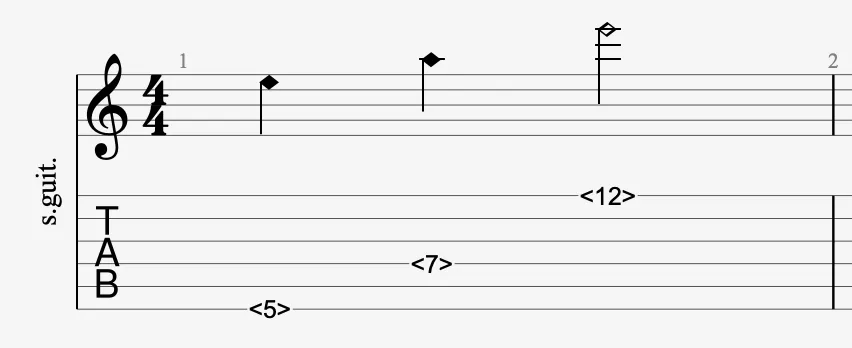
Applying in Guitar Pro
Select a note (with or without an open string), then click the icon in the Editing Palette. Guitar Pro will convert the note into a natural harmonic.
- In standard notation, the notehead is replaced by a diamond.
- In tablature, the fret number is displayed between angle brackets (e.g.,
<5>).
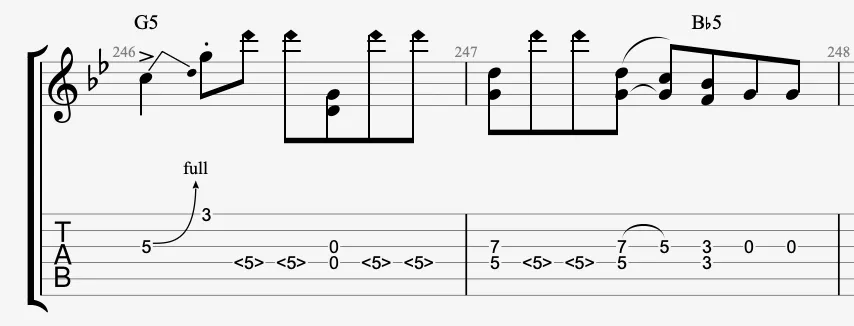
Artificial Harmonic
 An artificial harmonic allows you to produce a harmonic sound from a fretted note. These techniques require precise execution and are notated in Guitar Pro with specific symbols, depending on whether you’re using standard notation or tablature. Several types are available.
A.H. (Artificial Harmonic)
An artificial harmonic (A.H.) is produced by fretting a note with the left hand, and lightly touching a nodal point with the right hand while plucking the string (typically with the ring finger or pick). The touch point is usually 12, 7, or 5 frets above the fretted note. In Guitar Pro, select a fretted note and apply the A.H. option from the Editing Palette. The visual display follows the same logic as natural harmonics: angle brackets in tablature and diamond-shaped noteheads in standard notation.
T.H. (Tapped Harmonic)
A tapped harmonic (T.H.) is produced by sharply tapping a nodal point with a right-hand finger on a string, which may already be fretted by the left hand. This technique, similar to tapping, creates a clear harmonic sound. In Guitar Pro, select a note and apply the T.H. style to annotate it accordingly.
P.H. (Pinch Harmonic)
A pinch harmonic (P.H.) is achieved by striking a string with a pick while simultaneously brushing it with the side of the thumb. Commonly used in high-gain contexts, this technique creates a high-pitched harmonic. In Guitar Pro, insert a note and apply the P.H. effect to indicate this playing intention.
S.H. (Semi-Harmonic)
A semi-harmonic (S.H.) is a hybrid harmonic, where the fundamental note is played normally, but executed in a way that allows a harmonic to partially resonate. This may result from a specific fingering or an amplification effect. In Guitar Pro, this effect can be notated using the S.H. option in the Editing Palette, depending on the intended use.
Applying in Guitar Pro
Select a note in the score, then click the icon in the Editing Palette.
The Artificial Harmonic window opens.
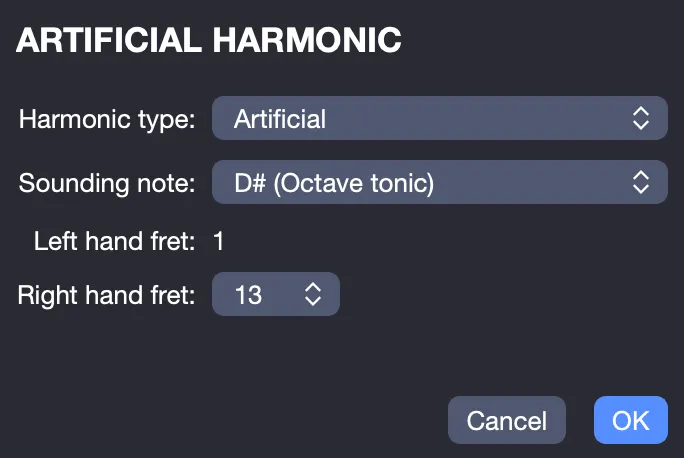
It allows you to define the following parameters:
- Harmonic type: Artificial, Pinch, Tap, Semi, or Feedback
- Sounded note: pitch of the harmonic produced
- Left-hand fret: corresponds to the note selected in the score
- Right-hand fret: contact or tap position, automatically calculated based on the selected settings
The abbreviation corresponding to the type of harmonic applied is displayed above the tablature.
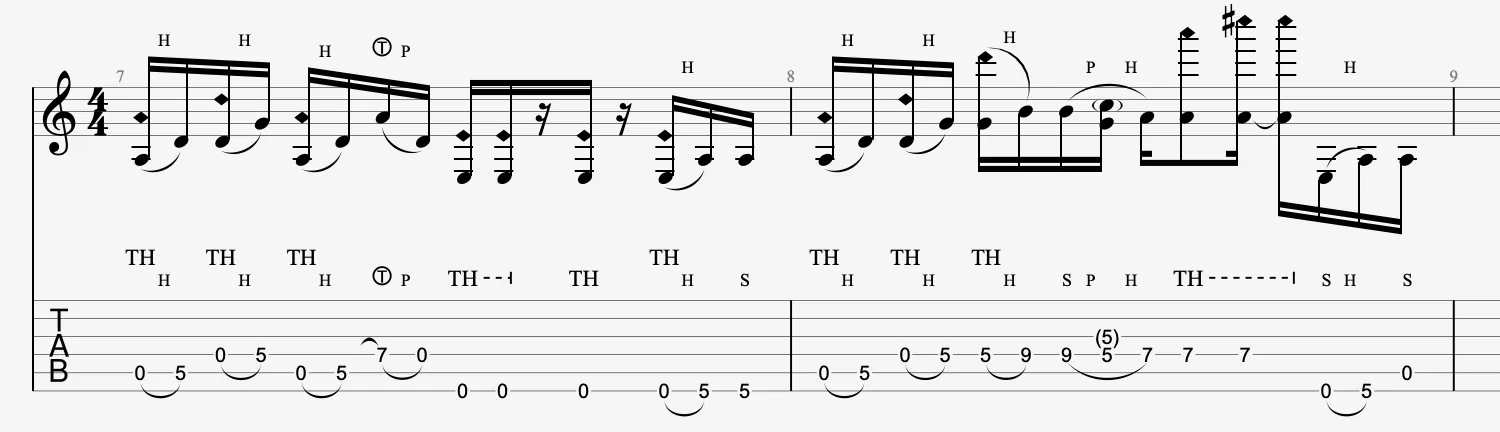
You have the possibility to indicate where the string is touched for artificial harmonics from the Notation tab of the Stylesheet.