
Display Tablature, Standard, Slash, Jianpu Notation in Guitar Pro 8
Guitar Pro allows you to customize the display of musical notations to meet the needs of guitarists, pianists, drummers, or composers.
You can choose from several notation types via the Track Inspector, located on the right side of the Guitar Pro window.
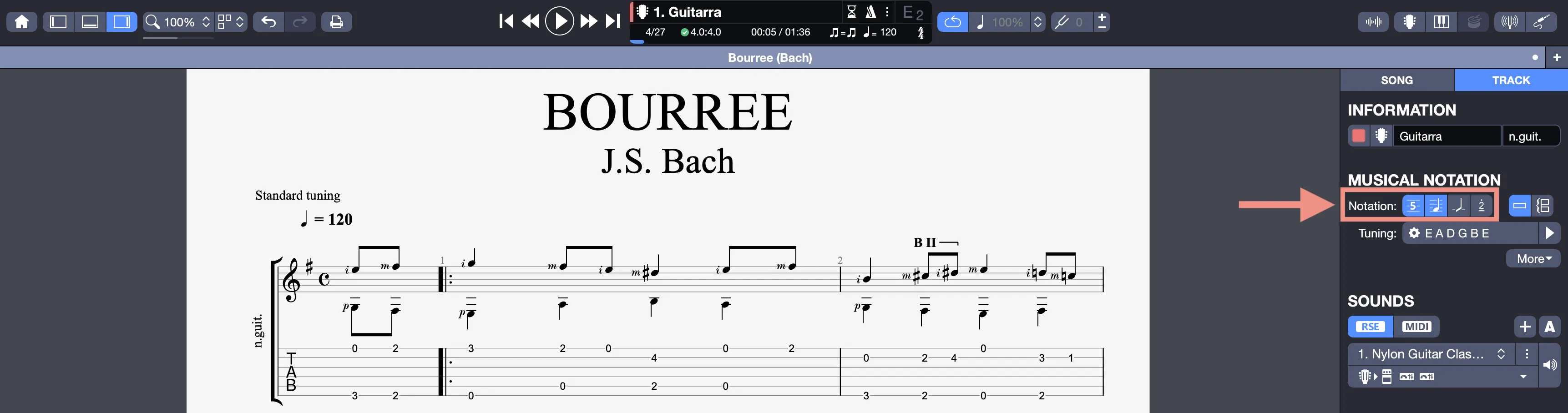
Available Notation Types
- Standard Notation: Classic representation on a staff, ideal for musicians accustomed to reading traditional sheet music.
- Tablature: Specific notation for guitar, bass, or other stringed instruments, indicating fret positions.
- Slash (Rhythmic): Simplified notation for rhythmic patterns, often used for accompaniments.
- Jianpu (Numbered): Numerical notation, common in certain Asian musical styles.
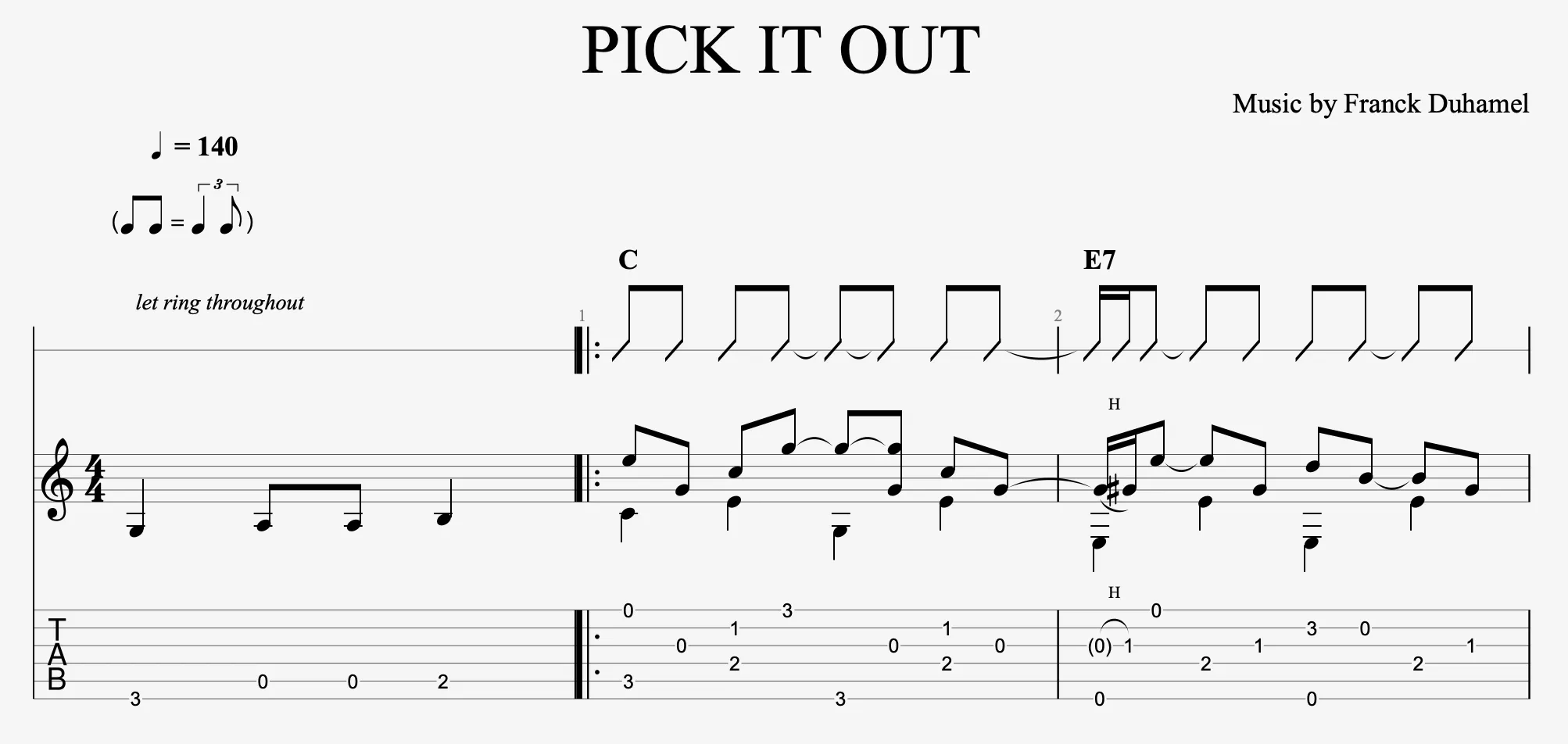
Customize the Display
In the Track Inspector, you can:
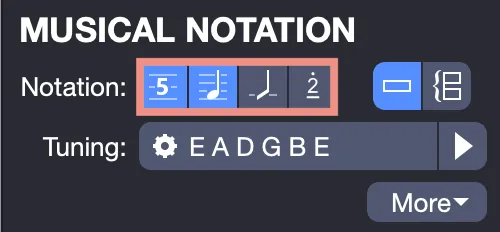
- Select one or multiple notations: Display a single notation (e.g., tablature for a guitarist) or combine them (e.g., standard notation and tablature for a versatile score).
- Choose the staff type: Opt for a single staff (one line of notation) or a grand staff (two lines, as used for piano).
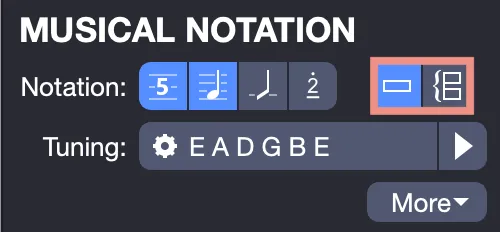
These options allow you to adapt the display to your instrument or composition style.
We invite you to consult the Track Musical Notation Settings section for more information on notation settings in the Track Inspector.