
Playback Speed in Guitar Pro 8
In addition to the standard tempo, Guitar Pro 8 offers extra speed adjustment options useful for practice and learning.
These features let you adapt playback speed to your needs, whether working on a complex passage or exploring new material.
Access these options via the Speed Settings icon in the toolbar.

Select a speed coefficient, a predefined bpm tempo, or enter a custom value.
These settings speed up or slow down playback without changing the file, preserving the original score. The option remains active while the icon is blue; click again to return to the original tempo.
Relative Speed in Guitar Pro
The Relative Speed option applies a constant coefficient to the track’s tempo for uniform adjustment.
When selecting the Speed Settings icon, a list of seven predefined coefficients appears:
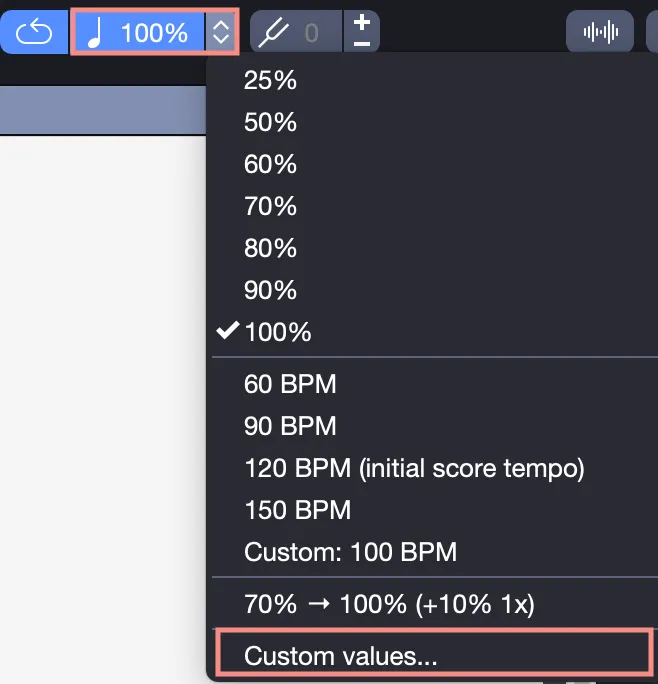
These values range from 25 % to 100 %, customizable between 10 % and 300 % in the settings window.
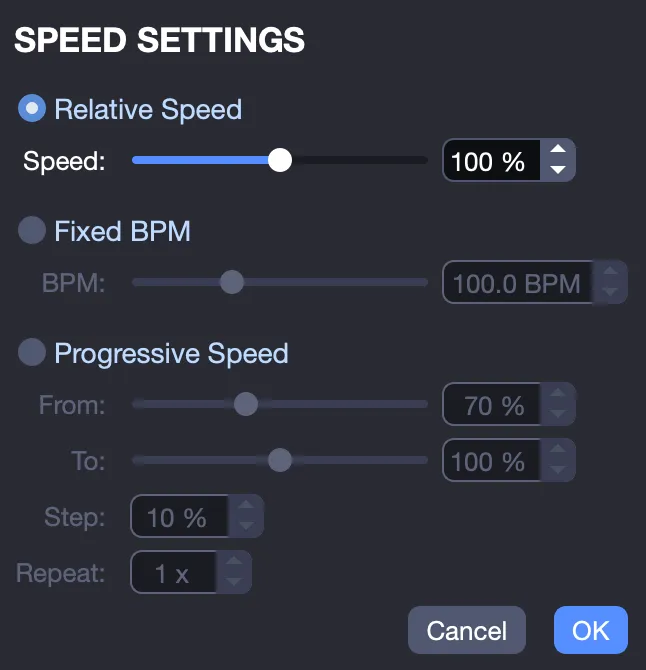
Reducing speed makes it easier to work on fast passages. Increasing it helps practice at higher tempos without changing the piece’s structure.
Fixed Tempos in Guitar Pro
The Fixed Tempos option plays the entire track at a constant speed, ignoring tempo automation.
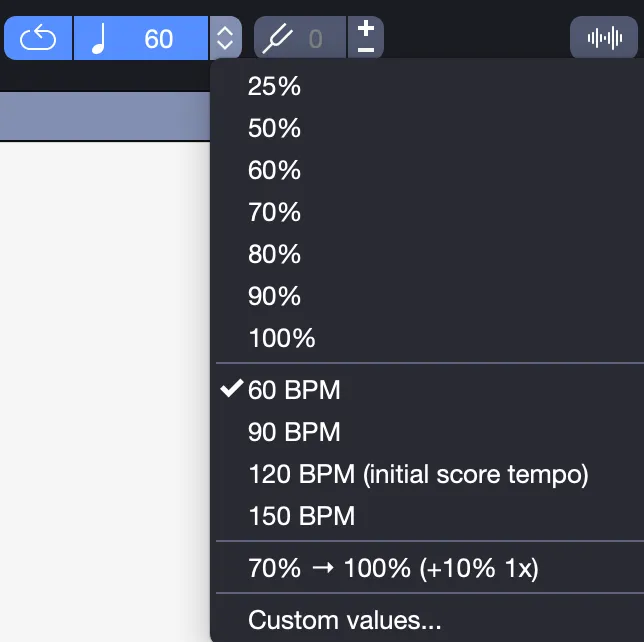
Includes five predefined bpm tempos (including the current one), customizable between 10 and 300 bpm.
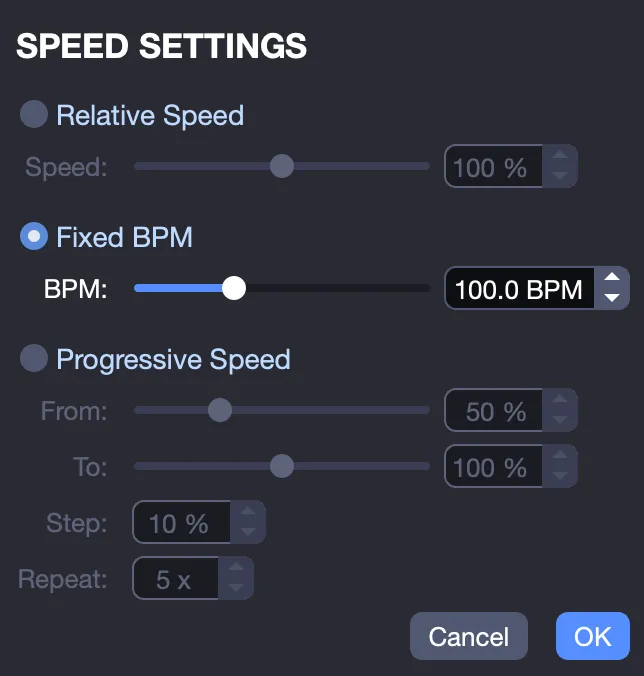
Ideal for practicing with a steady rhythm. Not available when an audio track is present, as playback follows the audio’s tempo.
Progressive Speed (Speed Trainer) in Guitar Pro
The Progressive Speed option increases the score’s playback speed with each repetition.
Select the starting and ending values (between 10 % and 300 %), the number of repetitions, and the increment coefficient.
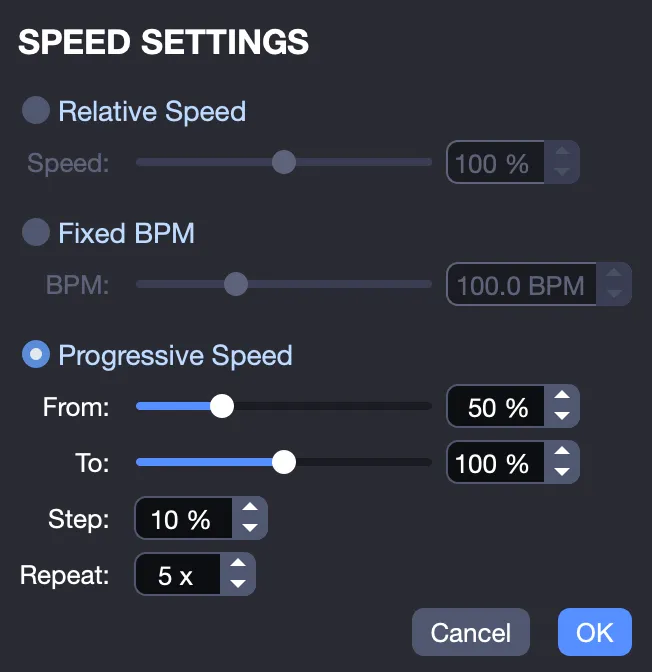
To loop a specific section, select it with the mouse before starting playback and enable the Loop icon in the toolbar. Speed will increase with each cycle.