
General Preferences in Guitar Pro 8
Configure Guitar Pro’s core behavior using the General preferences tab, which controls the application’s primary functions. Changes take effect immediately, allowing you to see their impact as you adjust settings.
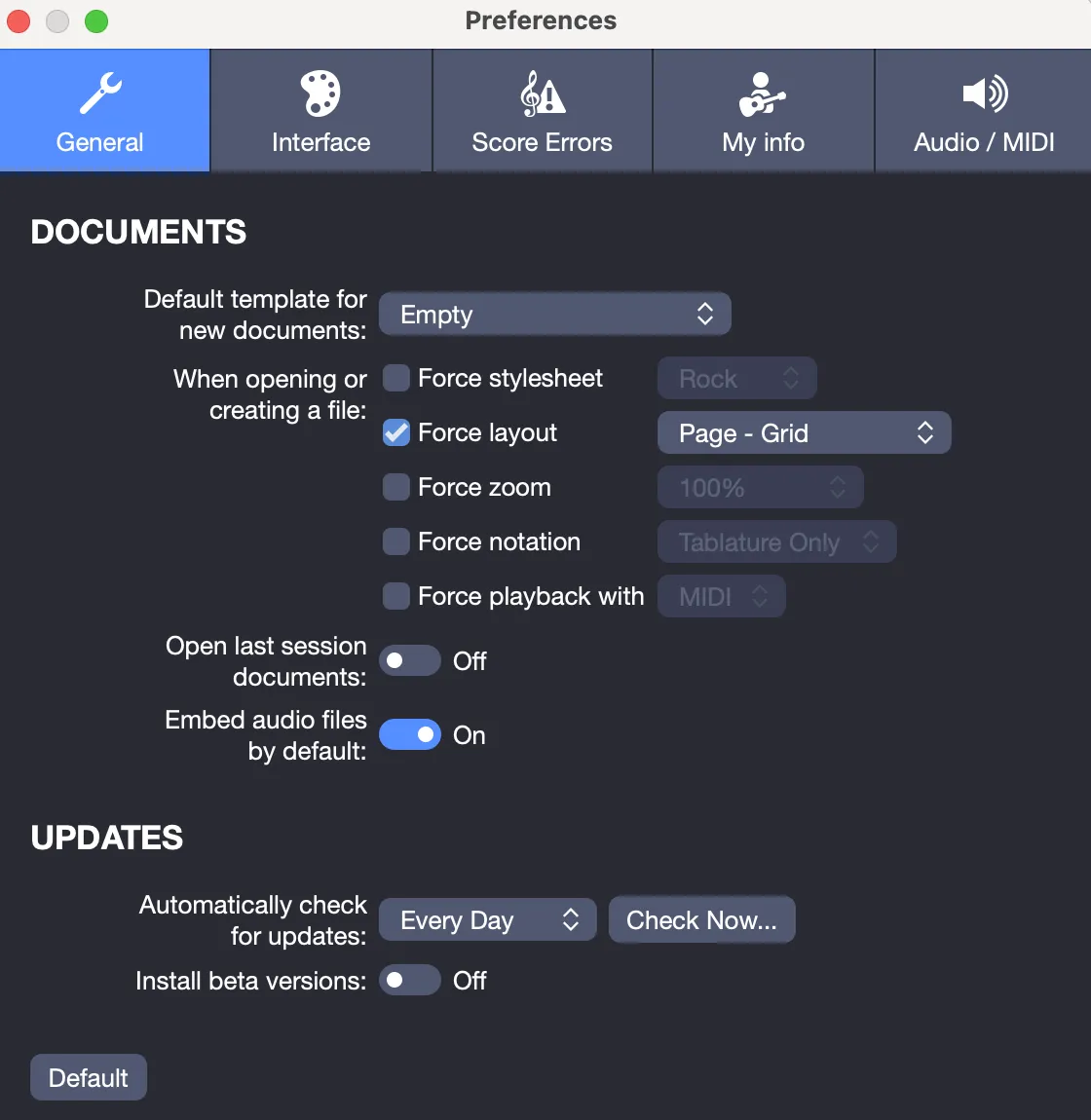
Documents
Default Template
By default, new Guitar Pro files are empty, with no tracks. To streamline your workflow, select a default template, such as Jazz Trio, which includes jazz guitar, upright bass, and drums. Alternatively, create a custom template, like a rock duo with guitar and vocals, to ensure new files open with your preferred setup, saving time.
Force Options
When a Guitar Pro file is created or opened, it contains information about its display:
- Stylesheet
- Page layout
- Zoom
- Notation
- Audio engine
It is possible to force these settings when opening or creating a document, thus overriding the settings stored in the file.
For example, you could always apply a 150% zoom or play your files in MIDI mode.
Open Last Session Documents
If files were open when you last closed Guitar Pro, enable this option to reload them automatically on startup. This feature simplifies resuming work on recent projects without needing to locate them manually.
Embed Audio Files by Default
Choose whether audio files, such as backing tracks or exported mixes, are included in your score by default. You can modify this setting in the Perform Tasks menu of the Audio file window. Embedding keeps all components together for sharing or storage, though it increases file size.
Updates
Checking Frequency
Guitar Pro checks for updates weekly by default, notifying you when new versions are available. Adjust this to daily for more frequent checks, monthly for fewer notifications, or disable it entirely. Regular updates, released every few months, provide fixes and enhancements to keep the application running smoothly.
Beta Versions
Software development usually goes through three stages:
- Alpha: Internal version for developers to define objectives and fixes.
- Beta: Stable version still tested by users. Some bugs may exist. Beta testers are encouraged to report issues.
- Release: Final public version, stable and corrected.
Installing a Beta version gives early access to new features and fixes, while helping the team improve Guitar Pro with your feedback.
Beta versions are not fully stable. You can switch back to the public version at any time. Beta versions are free for all Guitar Pro license holders.
To report an issue or bug found in the Beta, contact us via our Support page.