
Transposition Tonality in Guitar Pro 8: Impact of Tuning and Capo
The transposition tonality in Guitar Pro allows you to adapt the notation of a track to reflect the specifics of a transposing instrument, an alternate tuning, or a capo. Configured via the Musical Notation section of the Track Inspector, this feature ensures intuitive reading for guitarists, clarinetists, or other musicians, taking into account tuning or capo settings. Through concrete examples, such as a B♭ clarinet or a guitar with a capo, this section explains how to adjust the transposition and understand its interaction with these settings.
More information on Tuning and Capo.
Concert Tonality and Transposition Tonality
The concert tonality corresponds to the actual tonality heard, as perceived by the listener or conductor. The transposition tonality, used for transposing instruments like the clarinet or saxophone, displays notes adapted to the instrument’s fingerings rather than the actual pitch.
Example: For a B♭ clarinet, a C displayed on the score produces a B♭ heard. Thus, a B♭ Major tonality (2♭) appears as C Major (no accidentals) in the transposed notation, simplifying reading for the musician.
In Guitar Pro, transposition applies only to the note, octave, capo, and selected octave, without affecting other parameters like the time signature.
Transposition for Transposing Instruments
To configure a transposing instrument:
Open the Track Inspector (on the right side of the window or via F6).
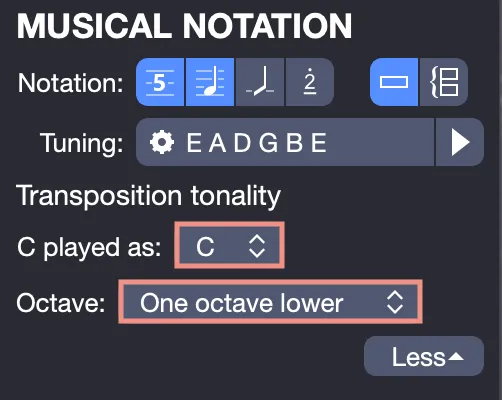
In the Musical Notation > Transposition Tonality section:
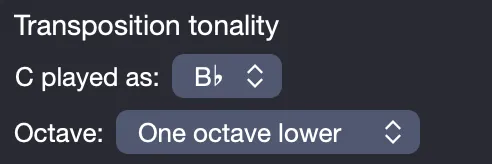
- Select from the dropdown menu the note heard for a C displayed (e.g., B♭ for a B♭ clarinet).
- Choose the octave setting if necessary: same octave, one octave lower, two octaves lower, one octave higher, or two octaves higher.
The notation automatically adjusts to display the transposed tonality.
The concert tonality affects transposition. When enabled, the displayed notes correspond to the notes actually heard. When disabled, the transposition displays the instrument’s relative tonality.
Transposition and Non-Standard Tuning
A non-standard tuning (e.g., a half-step down, Eb Ab Db Gb Bb Eb) can complicate reading if the notation reflects the notes actually heard. To preserve the guitarist’s usual reference points, Guitar Pro allows the standard notation to be transposed as if the instrument were in standard tuning (EADGBE).
This behavior depends on the Capo and transposed tunings modify standard notation option, accessible in the Stylesheet (File > Stylesheet or F7, Systems and Staves section).
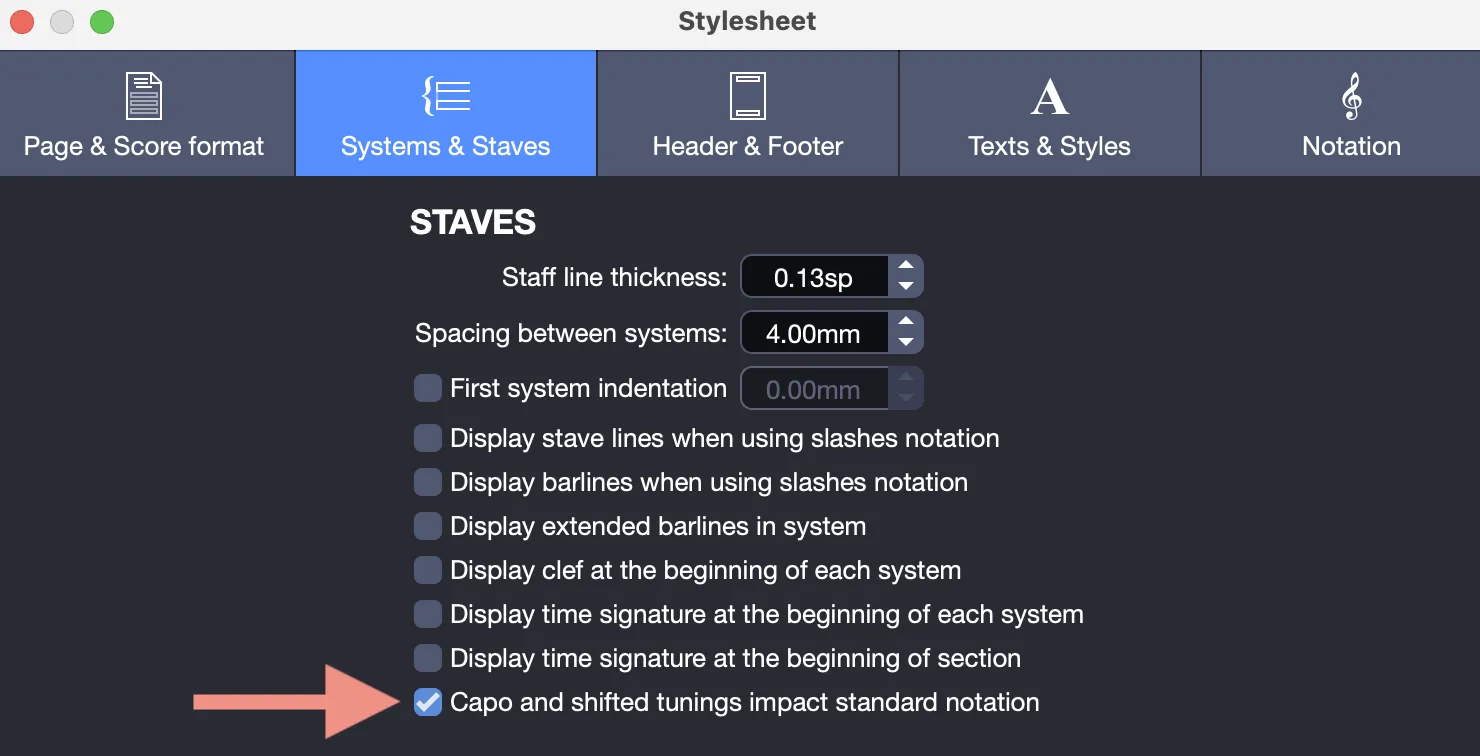
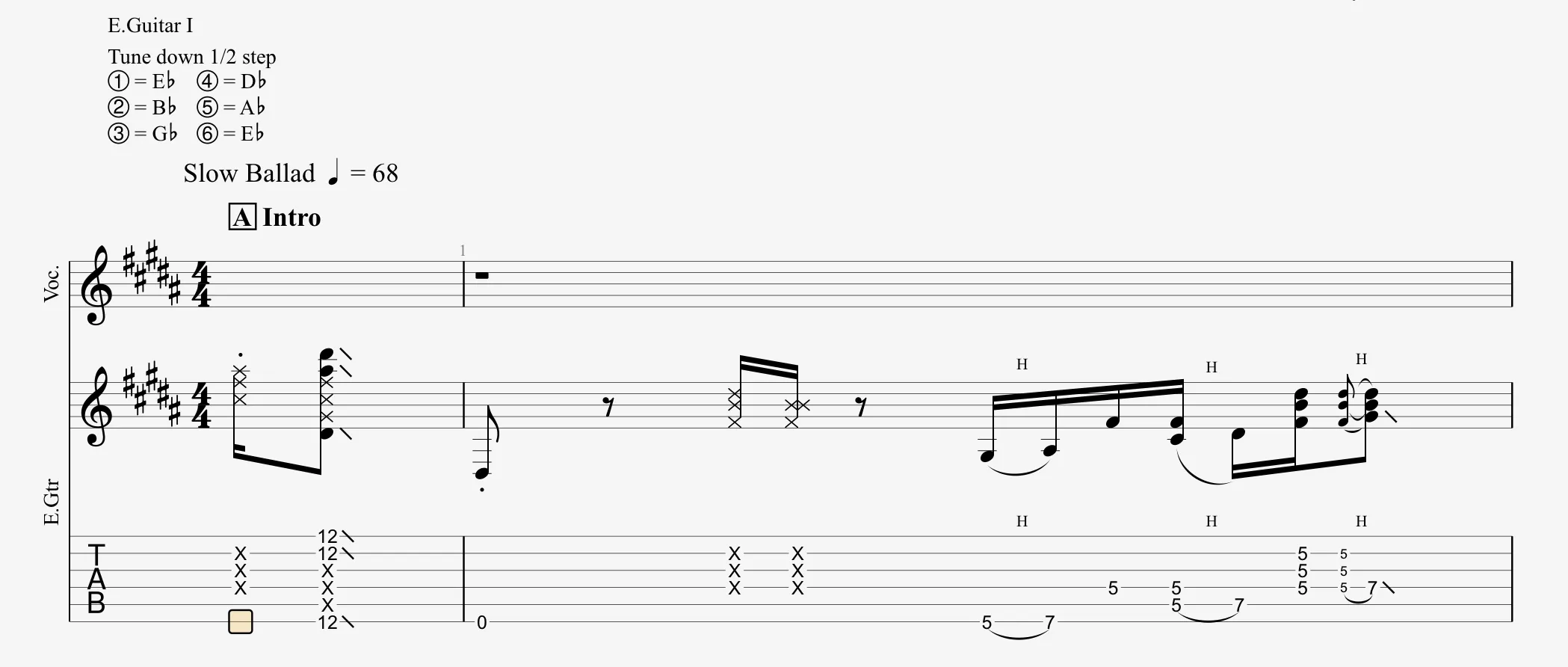
Case 1: Notation with the Stylesheet Option Enabled
When the option is enabled, the notation displays the notes actually heard, with the same key signature for all tracks (e.g., B Major, 5♯, for a guitar track and a vocal track). This can complicate reading, as a low E displayed (open string in standard tuning) must be played at the 1st fret in a lowered tuning, forcing the guitarist to transpose mentally.
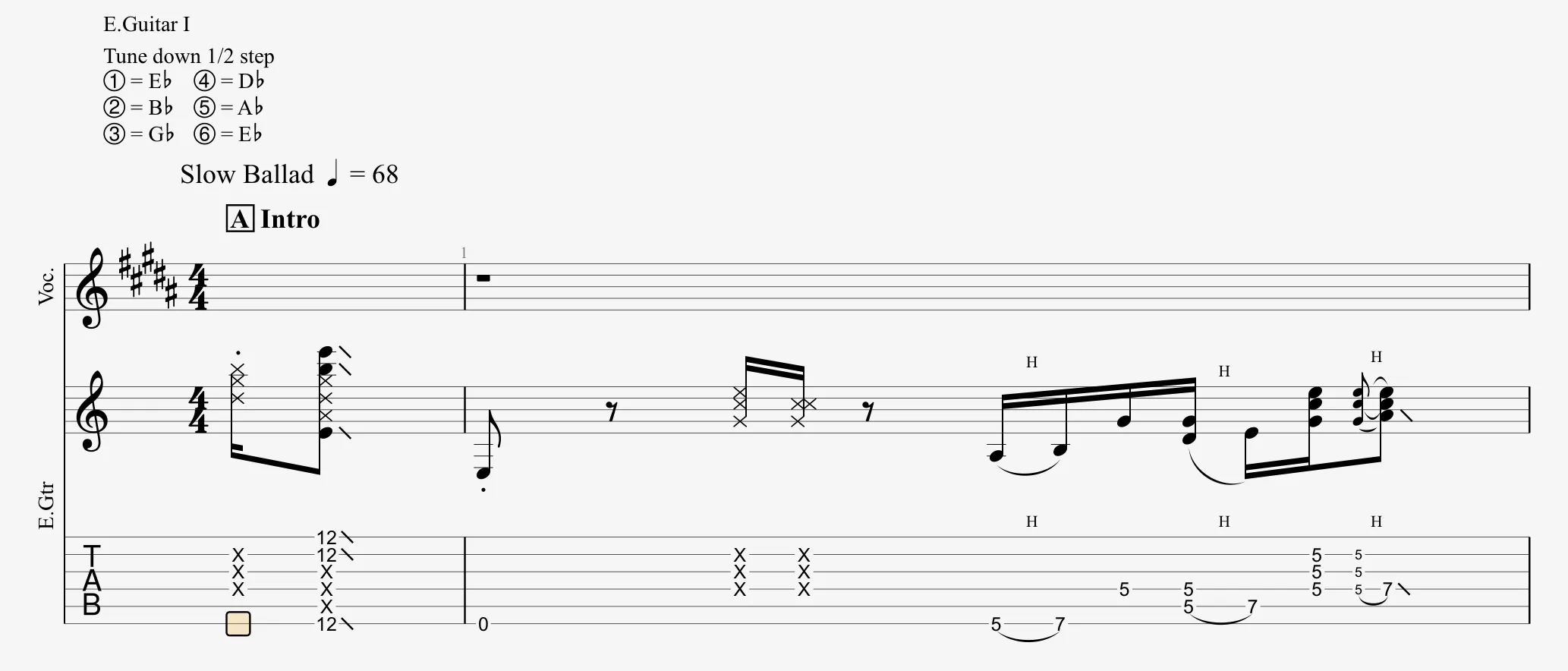
Case 2: Notation with the Stylesheet Option Disabled
When the option is disabled, Guitar Pro automatically transposes the guitar track’s notation to compensate for the modified tuning, displaying a key signature suited to standard tuning (e.g., C Major instead of B Major). This simplifies reading by avoiding accidental alterations.
Once again, the applied transposition is visible in the Transposition Tonality section of the Track Inspector:
Transposition and Capo
A capo shifts the pitch of the notes upward, equivalent to a positive transposition (for example, +2 semitones for a capo at the 2nd fret). The transposition tonality allows you to adjust the notation to preserve the guitarist’s visual reference points. To configure the capo, see the Tuning and Capo Settings section.
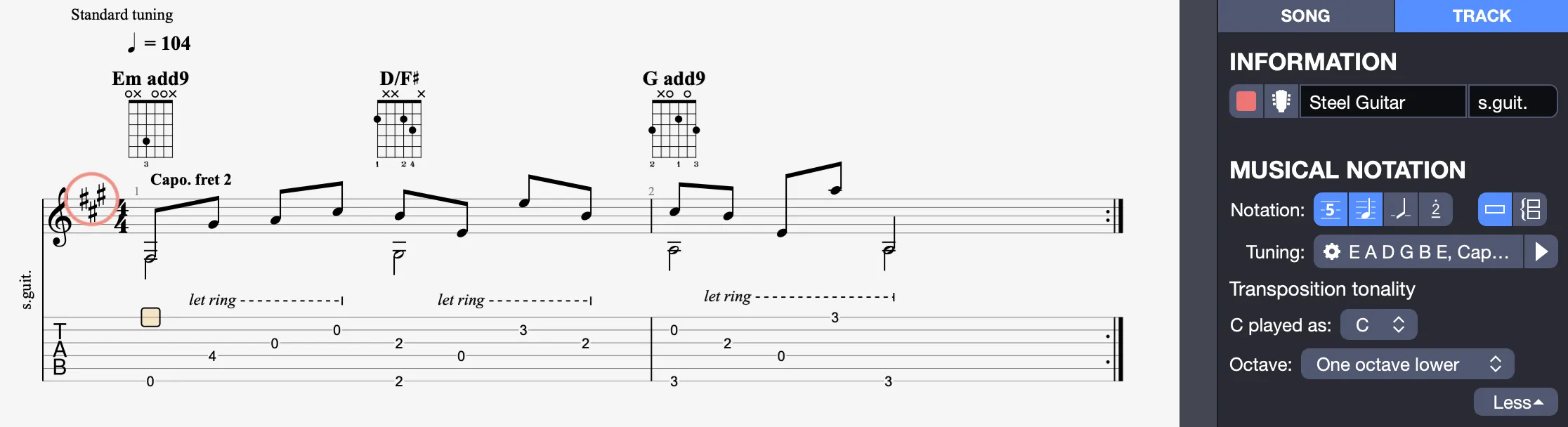
Example: For a piece in E minor (1♯) with a capo at the 2nd fret:
Without transposition: The notation displays the actual tonality (G minor, 3♯), and a low E open (0 on the tablature) appears as an F♯, which can be confusing.
With transposition: In the Track Inspector > Musical Notation > Transposition Tonality, transpose by +2 semitones (indicating “C played as D”). The notation displays a low E for an open string (0 on the tablature), with a key signature in E minor (1♯), despite the actual F♯ heard.
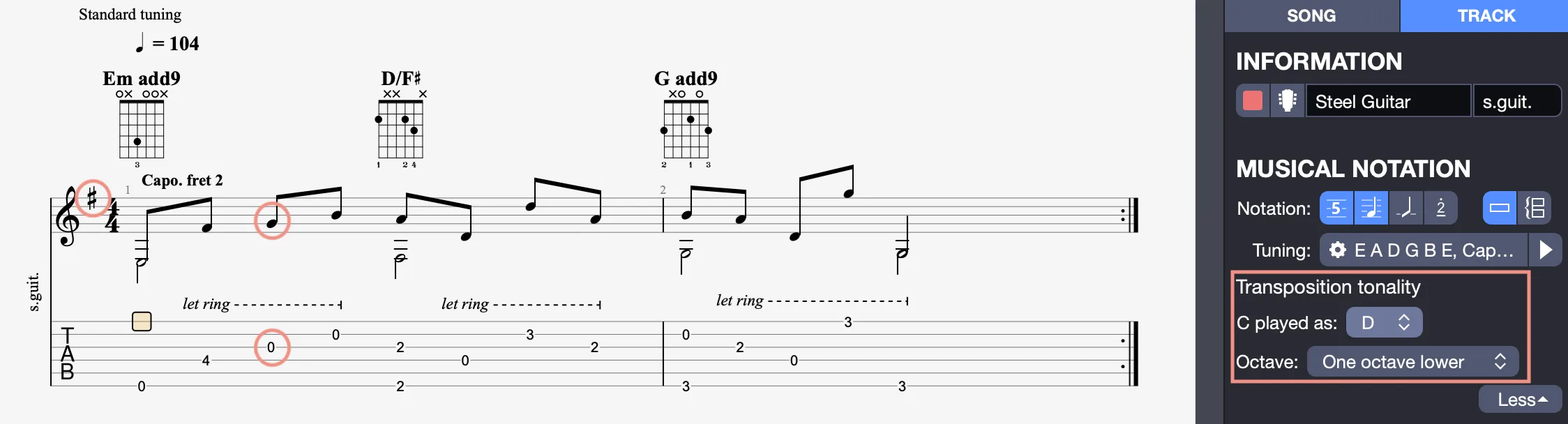
These settings allow you to customize the transposition tonality for clear notation, adapted to transposing instruments, alternate tunings, or a capo.