
Slides in Guitar Pro 8
Slides, or glissandos, are guitar techniques that involve sliding the finger along the fretboard to connect notes, adding a continuous melodic effect.
In Guitar Pro 8, these effects are accessible via the Editing Palette and the Effects menu.
Understanding Slides
A slide moves the fretting finger from one fret to another on the same string, creating a smooth transition.
Five variants are offered, from tied slides without a new attack to slides with a repicked final note.
Legato Slide
 The legato slide attacks a note, then slides to a second note without repicking it. A tie marks this connection, useful for phrasing or transitions.
Shift Slide
 The shift slide attacks a note, slides to a second note, then repicks it for a clear sound.
Slide from Below
 The slide from below slides to a target note from a lower fret.
Slide from Above
 The slide from above slides to a target note from a higher fret.
Slide Out Downwards
 The slide out downwards attacks a note, then slides to a lower fret without a precise end.
Slide Out Upwards
 The slide out upwards attacks a note, then slides to a higher fret without a precise end.
Application
Select a note or pair of notes in the score, then choose the corresponding slide icon from the Editing Palette.
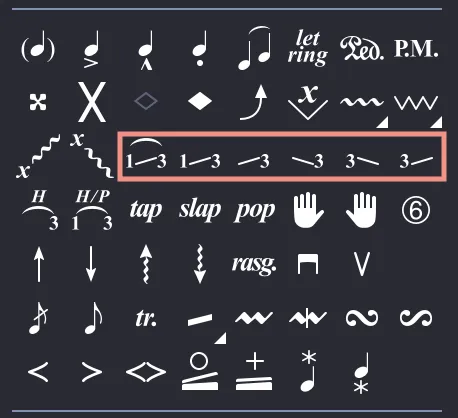
The slide rendering in the score depends on the type of slide applied.
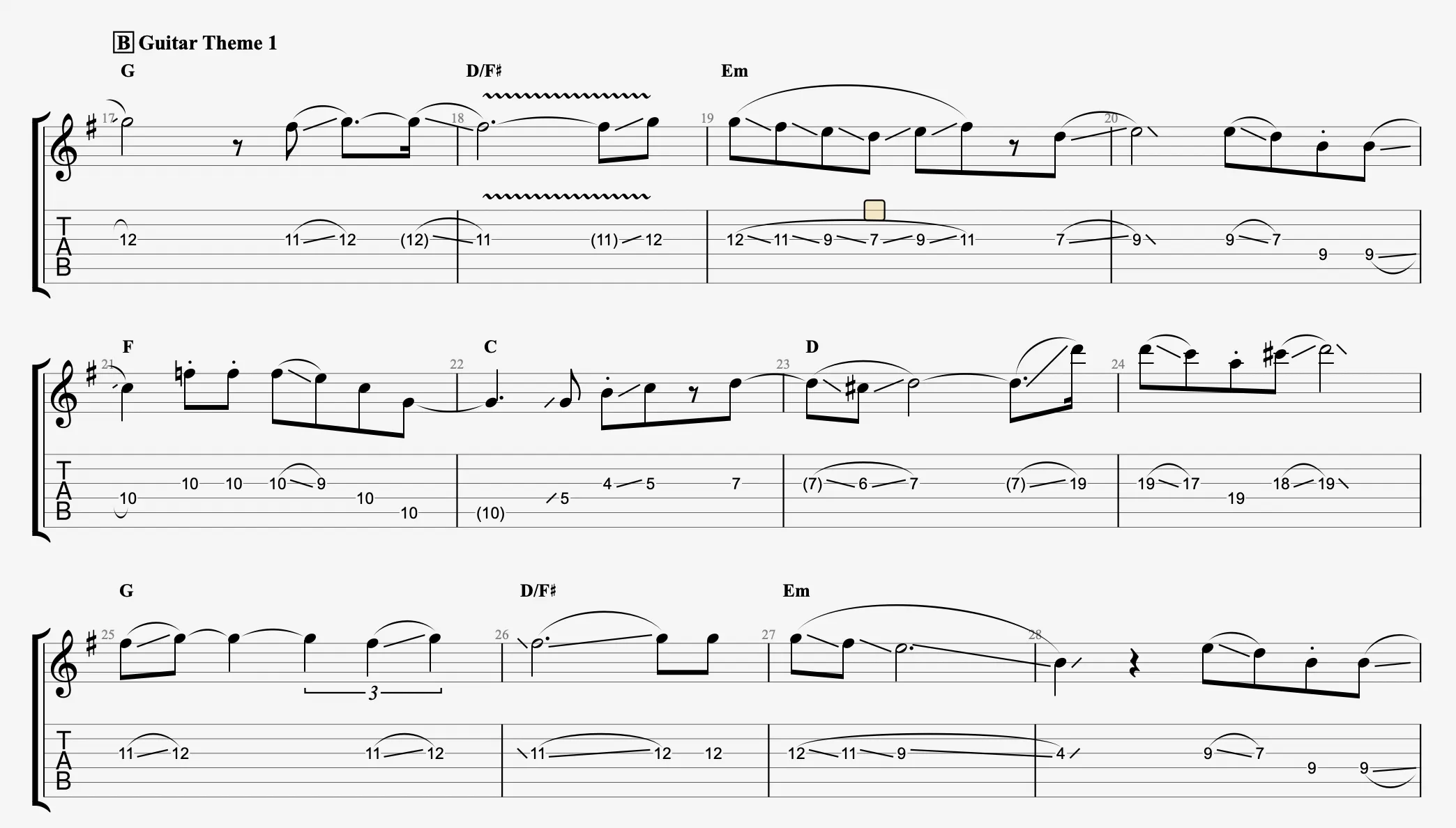
Slide notation can be customized via the Stylesheet.
Summary Table of Slides
| Symbol | Name | Meaning |
|---|---|---|
|
Legato Slide | Attacks a note, slides to a second without repicking. |
|
Shift Slide | Attacks a note, slides, then repicks the second. |
|
Slide from Below | Slides to a note from a lower fret. |
|
Slide from Above | Slides to a note from a higher fret. |
|
Slide Out Downwards | Attacks a note, slides to a lower fret without a precise end. |
|
Slide Out Upwards | Attacks a note, slides to a higher fret without a precise end. |