
Audio Note Settings in Guitar Pro 8
Guitar Pro 8 allows you to apply specific audio settings to a note or a selection of notes to refine the sound of your score.
The note audio settings window is accessed through the Note > Note Audio Settings menu or the keyboard shortcut ⇧F.
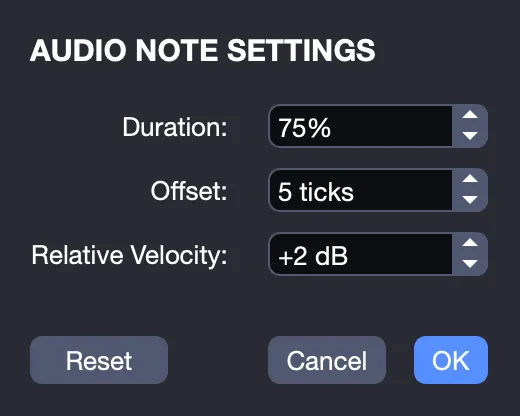
From this window, you can modify the duration, offset, and relative velocity of one or more previously selected notes in your score.
Note Duration
The duration of each note is defined by the note value you have edited, such as whole, half, quarter, etc.
By default, it is set to 100%. This option allows you to adjust the duration of the note or group of selected notes, decreasing or increasing it from 25% to 1200%.
Note Offset
This option enables you to shift the timing of when the note or selection is played, allowing it to sound slightly before or after the reference beat.
Note, however, that for appoggiatures, these automatically follow the subsequent note and have no separate settings. Arpeggios cannot be modified either.
Relative Velocity
Increase or decrease the relative velocity of your note or selection using this option. The default value is 0 dB. An increase or decrease from 1 dB to 15 dB will make your selection stand out, being played louder or, conversely, softer than the other notes in your score.
The Reset option allows you to restore the default values for your selection.