
Dynamics, Accents, Staccato, Crescendo and Decrescendo in Guitar Pro 8
Dynamics, accents and staccato in Guitar Pro modify the intensity and duration of notes, adding expressive variations to your scores.
Available from the Editing Palette and the Note menu, these functions — from Pianississimo to Fortississimo — also include accented notes, staccato, crescendo and decrescendo, allowing precise control of volume and expression.
Dynamics


 Dynamics control the volume of notes, from Pianississimo (ppp), very soft, to Fortississimo (fff), very loud.
To vary dynamics within a single beat, use multiple voices. This allows contrasting layers of expression in the same bar (see Voices in Guitar Pro).

Application
Select a note or beat, then choose the Dynamics icon in the Editing Palette.
Piano (p) reduces the note’s intensity, while Forte (f) increases it. Dynamics can be shown or hidden from the Notation tab in the Stylesheet.
Accented and Strongly Accented Notes

 An accented note is played with increased velocity in Guitar Pro.
The strongly accented note increases the effect further, emphasizing specific rhythmic or melodic notes.
Application
Select the desired notes and apply the accent icon from the Editing Palette. Guitar Pro adjusts playback velocity automatically.
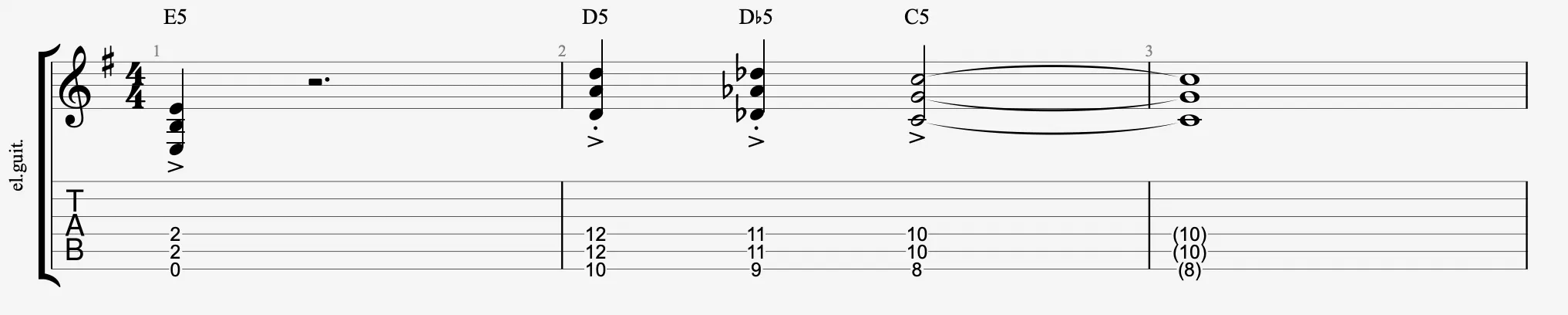
Staccato
 Staccato shortens the note duration, regardless of its written value. A dot above the note indicates this effect in Guitar Pro.
This effect reduces the playback time of the note.

Application
Select a note and apply the staccato symbol from the Editing Palette. Guitar Pro shortens the playback duration accordingly.
Crescendo and Decrescendo

 Crescendo and decrescendo gradually increase or decrease the volume over a note or group of notes.
Application
Select the relevant passage and apply the crescendo or decrescendo symbol from the Editing Palette.
A crescendo gradually increases volume, while a decrescendo gradually decreases it.
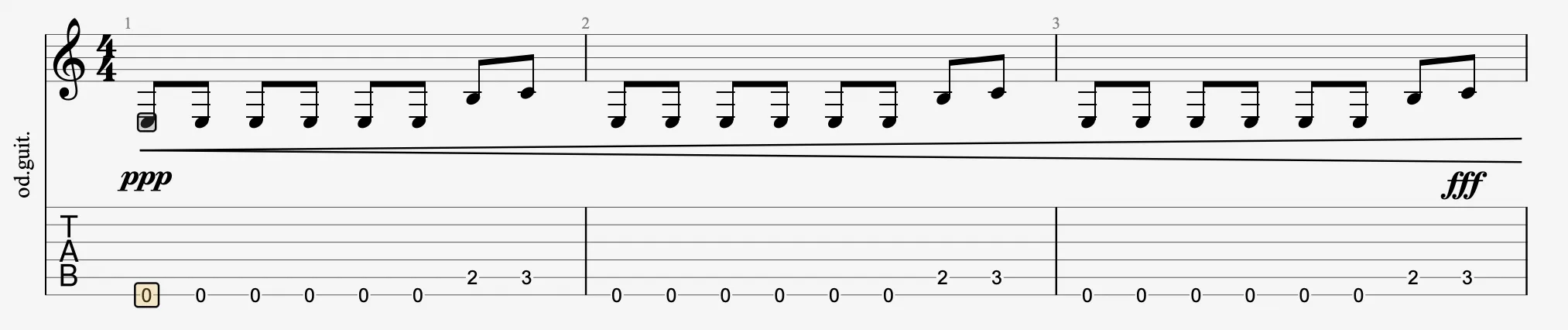
Always specify a target dynamic to ensure proper rendering during playback in Guitar Pro.