
Interface Preferences in Guitar Pro 8
Customize Guitar Pro’s appearance and behavior through the Interface preferences tab, which allows you to tailor the user interface. Changes take effect immediately, enabling you to see the results as you adjust settings.
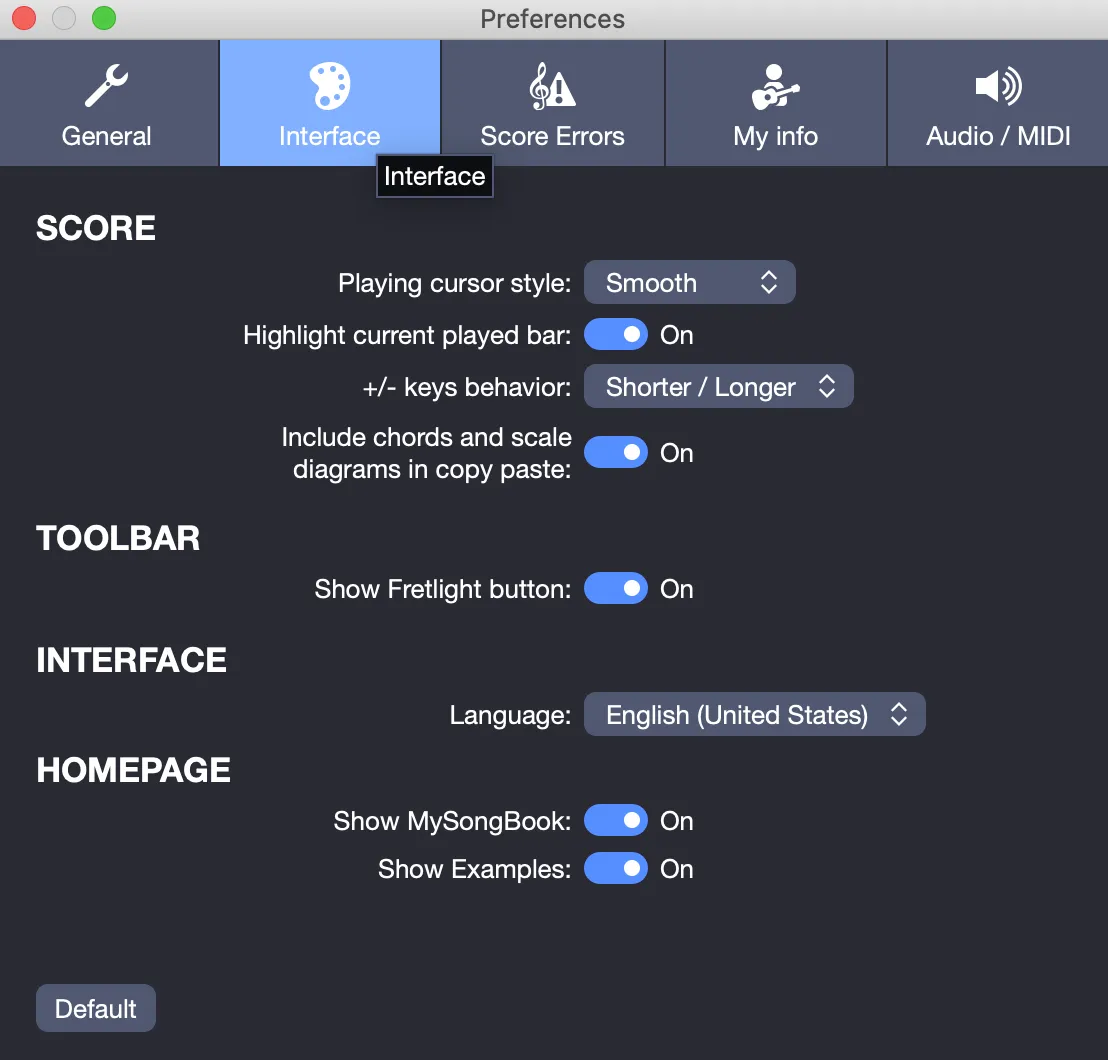
Score
Playing Cursor Style
During playback, the cursor moves from beat to beat in real time. You can configure its behavior:
- None: No cursor is displayed during playback.
- Smooth: The cursor moves fluidly between beats.
- Each Note: The cursor jumps directly to each beat.
- Metronome: The cursor aligns with metronome ticks.
Choose the option that best suits your needs.
Highlight Current Played Bar
During playback, the active bar is highlighted in pale yellow to indicate your position. You can disable this feature for a cleaner view.
Plus/Minus Keys Behavior
The + and - keys modify note duration. By default, + shortens the duration (for example, a quarter note becomes an eighth note), while - lengthens it (for example, a quarter note becomes a half note). You can reverse this behavior to match your preferred workflow.
Include Chords and Scale Diagrams in Copy-Paste
When enabled, this option includes chord and scale diagrams in a standard copy-paste, streamlining the process of copying sections. If disabled, use Edit > Special Paste to include these diagrams separately.
Toolbar
Show Fretlight Button
Guitar Pro supports Fretlight® guitars, which use lights to indicate playing positions on the fretboard. For more details, see the Fretlight chapter. This button is hidden by default but can be added to the toolbar if you use a Fretlight® device.
Interface
Language
Select your preferred language for Guitar Pro from the available options. After changing the language, restart the application to apply the change. Save your work before restarting.
Homepage
Tailor the Guitar Pro Homepage by hiding the mySongBook or Examples sections if they are not relevant to your workflow, keeping the interface streamlined for your needs.