
Clicking on Elements and Managing Selections in Guitar Pro 8
Guitar Pro makes score editing easier by allowing you to click directly on elements to adjust them precisely, without navigating through complex menus.
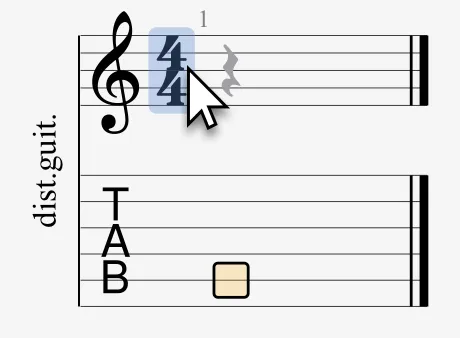
Hover over an element, such as a tempo marker or section title, for it to highlight in blue, indicating that it can be modified.
A simple click opens a dialog box with options to adjust its properties.
While the menus and editing palette provide similar tools, clicking directly on the score offers immediate access, which is useful during editing.
Here is the list of clickable elements you can modify:
- Score Information
- Tempo
- Track Tuning
- Track Capo
- Sections
- Swing
- Chords
- Text Annotations
- Time Signature
- Key Signature
- Time Signature
- Fermatas
- Markers
- Alternate Endings
- Repeat Closure
Tempo changes vary depending on context: the header of the score defines a constant tempo (e.g., 100 bpm for the entire piece), while the automation window allows for gradual changes.
Managing Selections in Your Track
Selections in Guitar Pro allow you to highlight multiple beats or bars by dragging the mouse, isolating sections for reading, editing, or enhancing them.
They appear in blue, clearly indicating the active area.
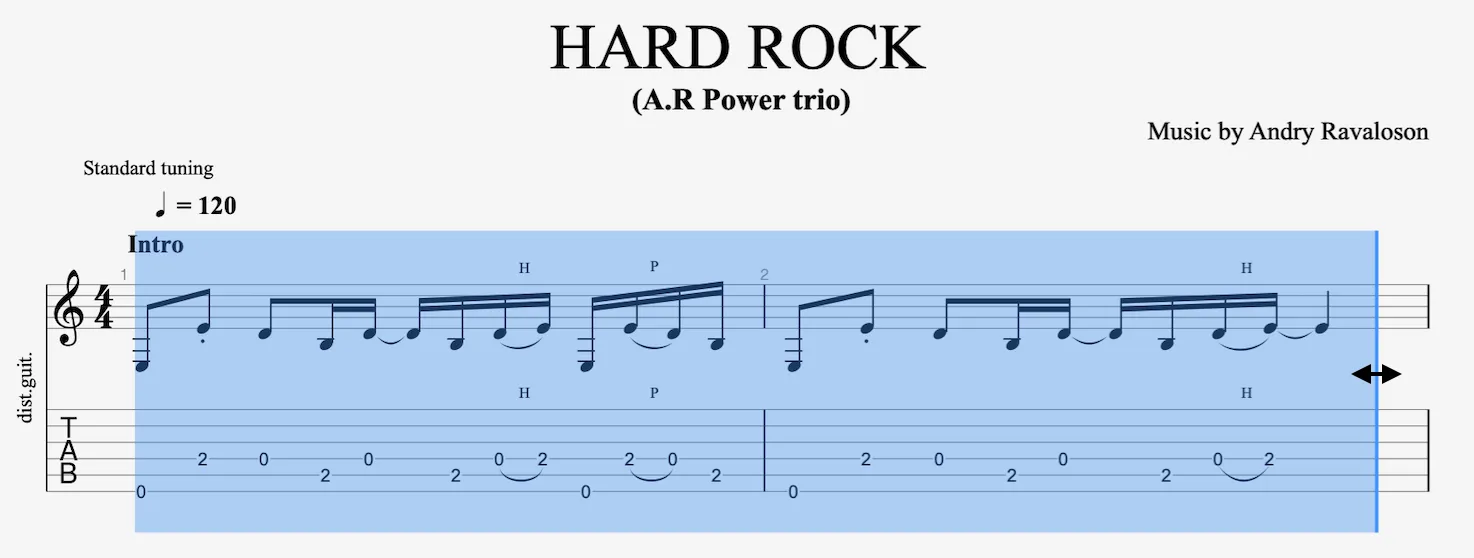
Easily resize selections: hover over the blue edges until arrows appear, then drag to adjust the size.
With an active selection, you can:
- Loop Playback: Use the loop button in the toolbar or the Sound menu.
- Modify the Selection: Adjust notes, velocities, or articulations.
- Apply Settings: Use assistants (e.g., Palm Mute) or effects on the section.
Create selections in two ways:
From the Current Track: Drag over the score and select the desired passage.
From the Global View: Select the blocks corresponding to the bars in the score.

Cmd + A (Mac) or Ctrl + A (Windows) selects the entire active track, ideal for global modifications.
Triple-click on a beat in the score or global view to select the entire track.