Stylesheet: Texts & Styles Settings in Guitar Pro 8
Overview of the Texts & Styles tab
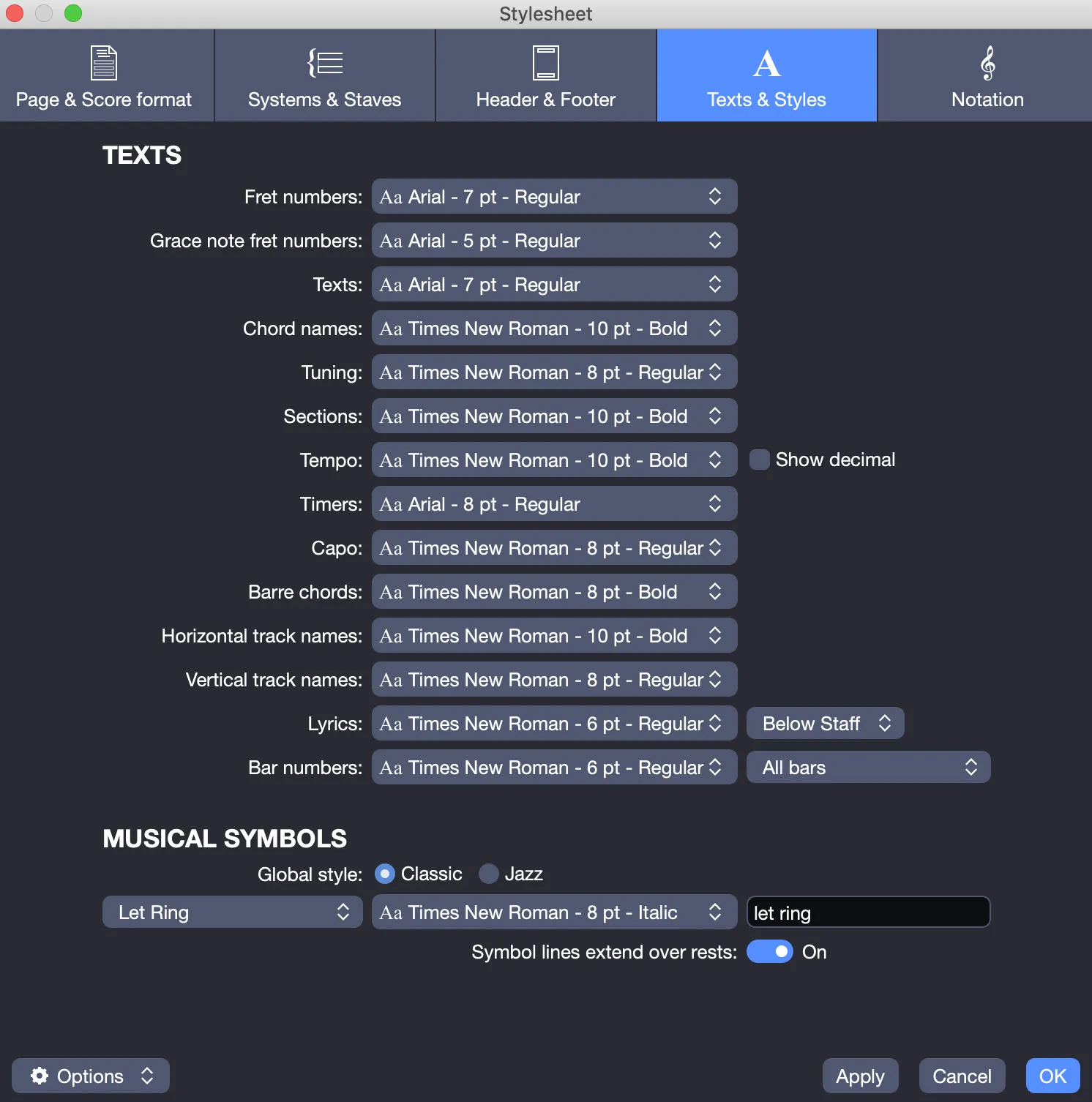
The Texts & Styles tab includes the following sections, designed to customize the appearance of text and musical symbols in your score.
Texts Section
This section allows you to personalize text elements displayed in your score.
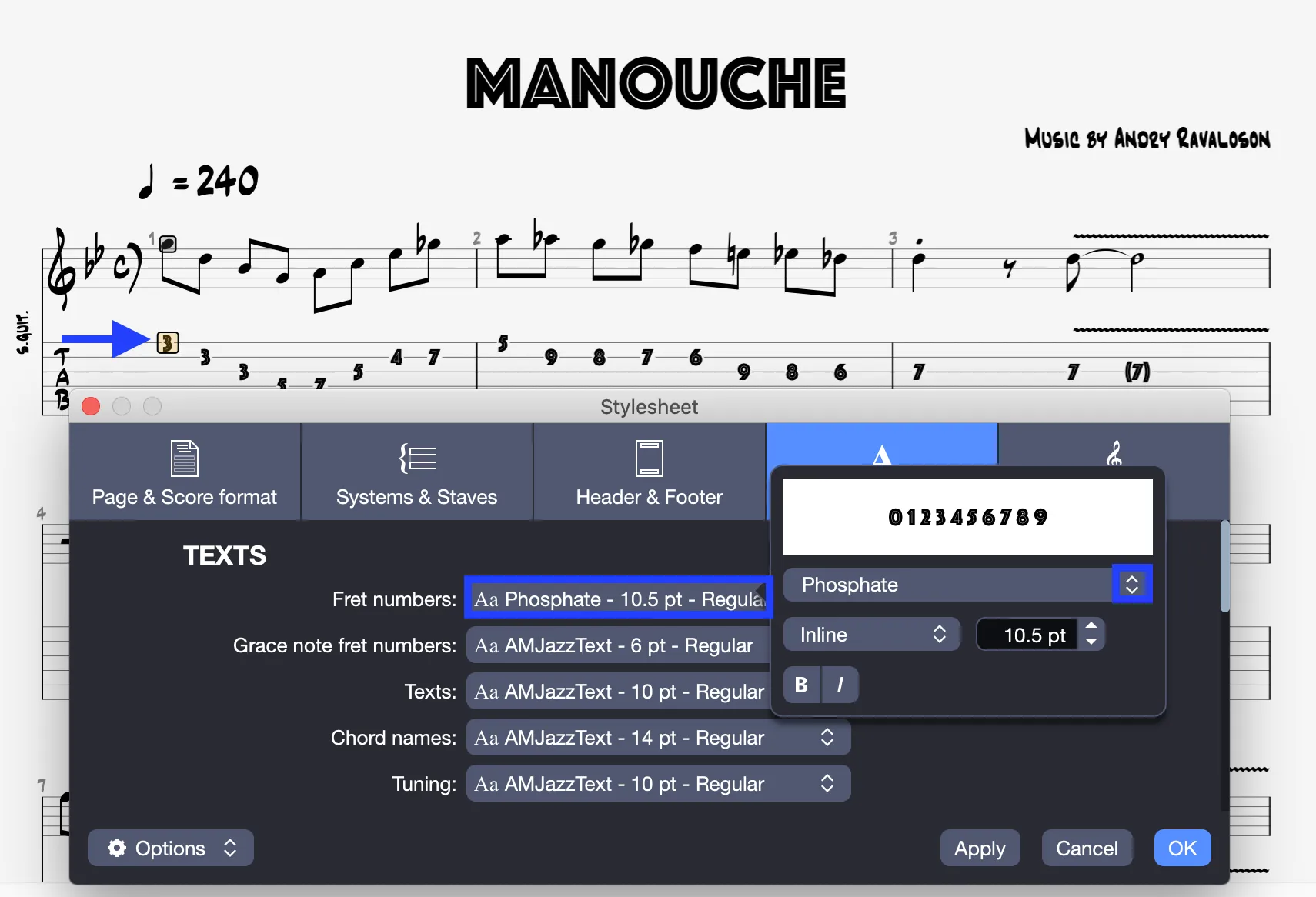
- Customize elements: Choose the font, size, and style (regular, bold, italic) for each text element, using fonts available on your operating system.
For example, the “Phosphate” font is applied to fret numbers in the following image:
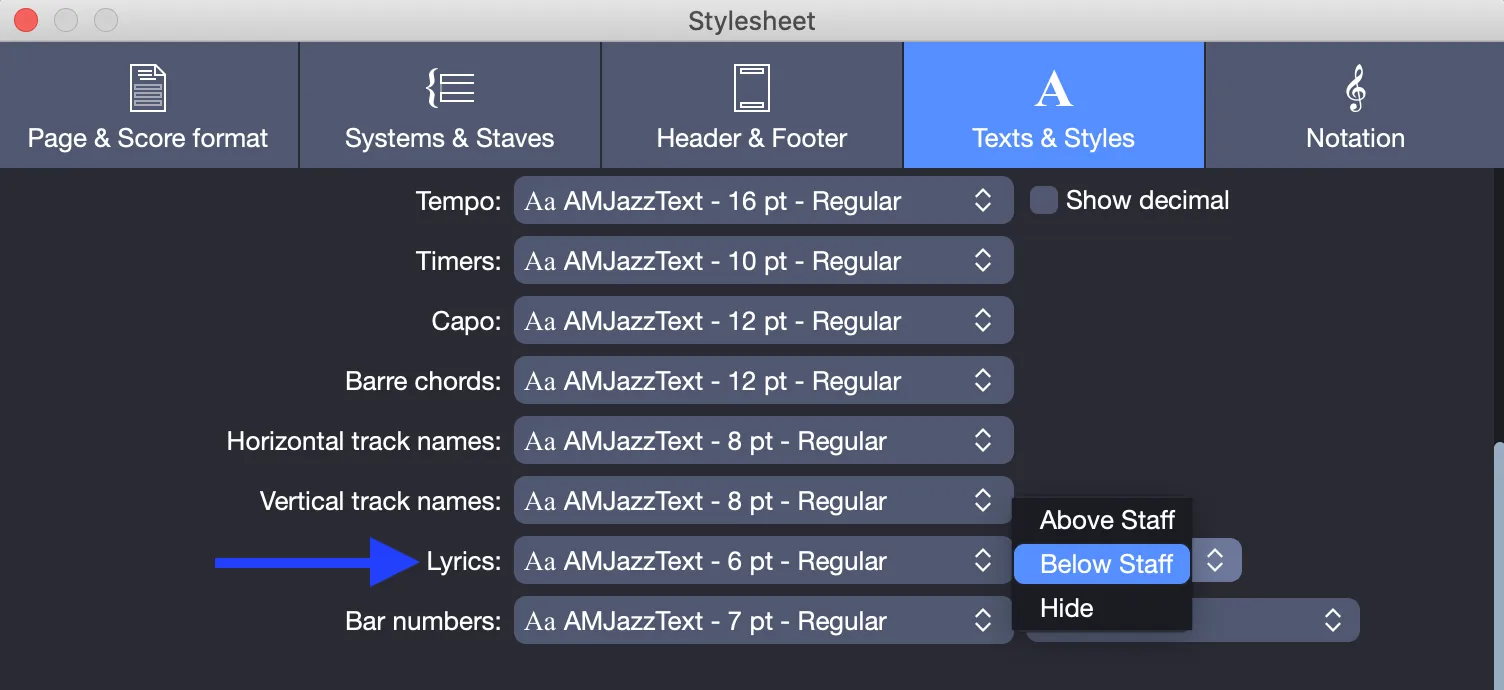
- Set lyrics placement: Place lyrics above or below the staves, or hide them.
- Manage bar numbers: Display bar numbers on all bars, only on the first bar of each staff, or hide them.
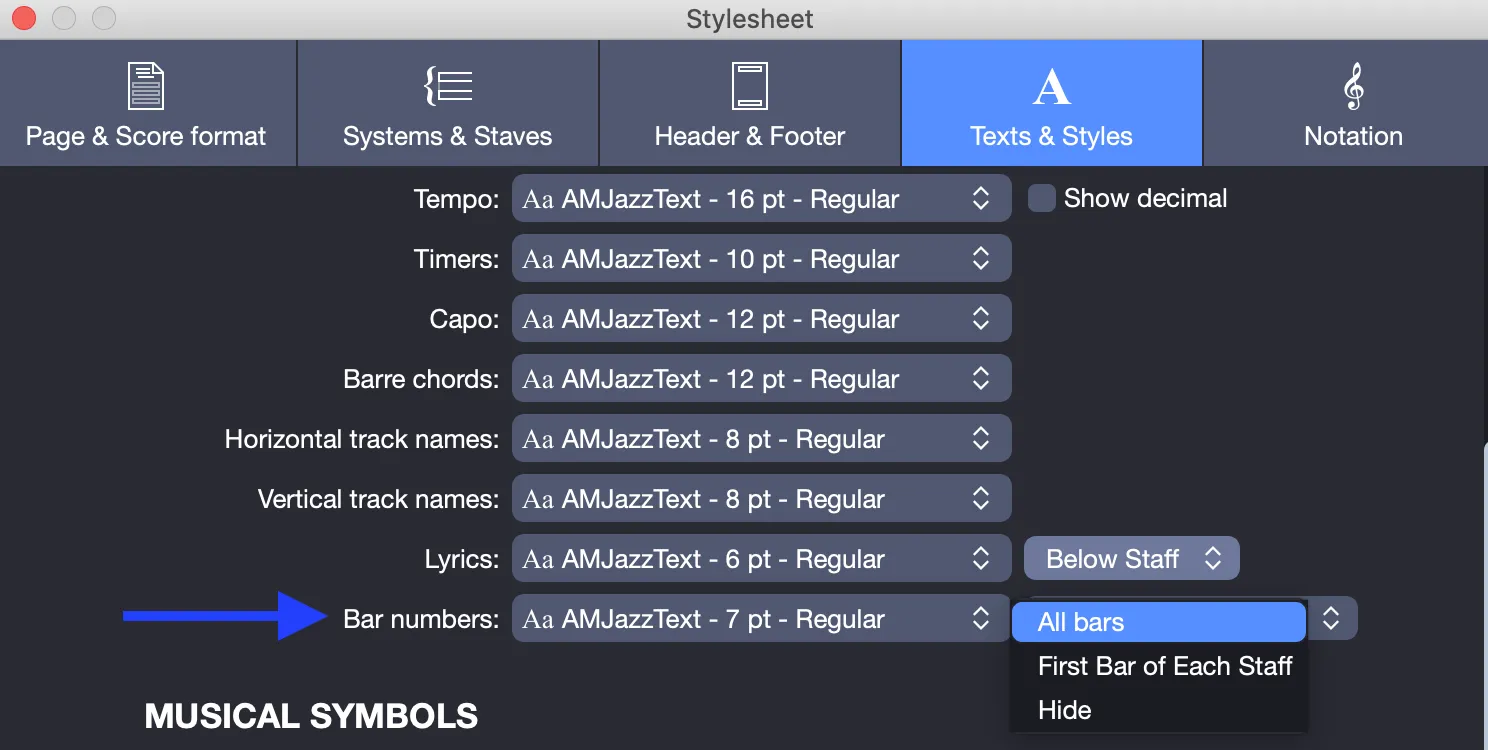
- Show tempo decimal: Enable or disable the display of the tempo’s decimal value.
Musical Symbols Section
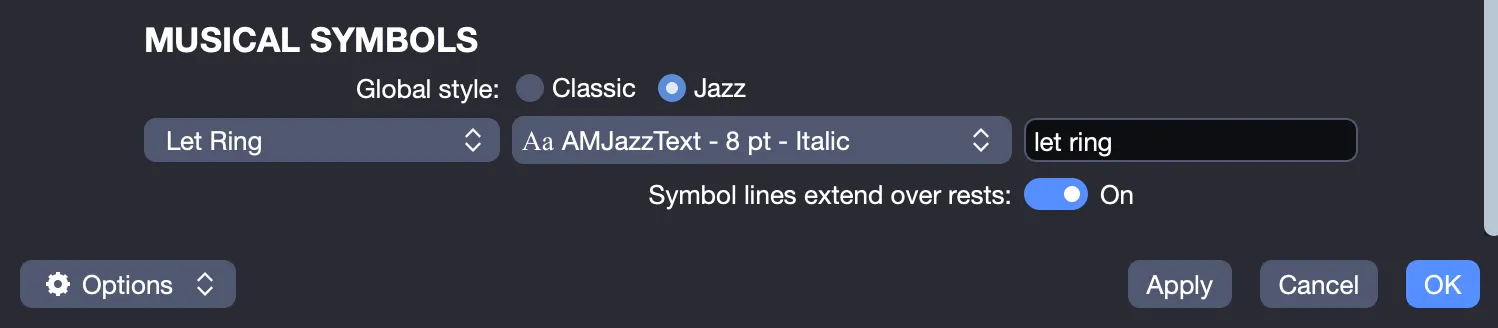
Customize the appearance of musical symbols to reflect your style.
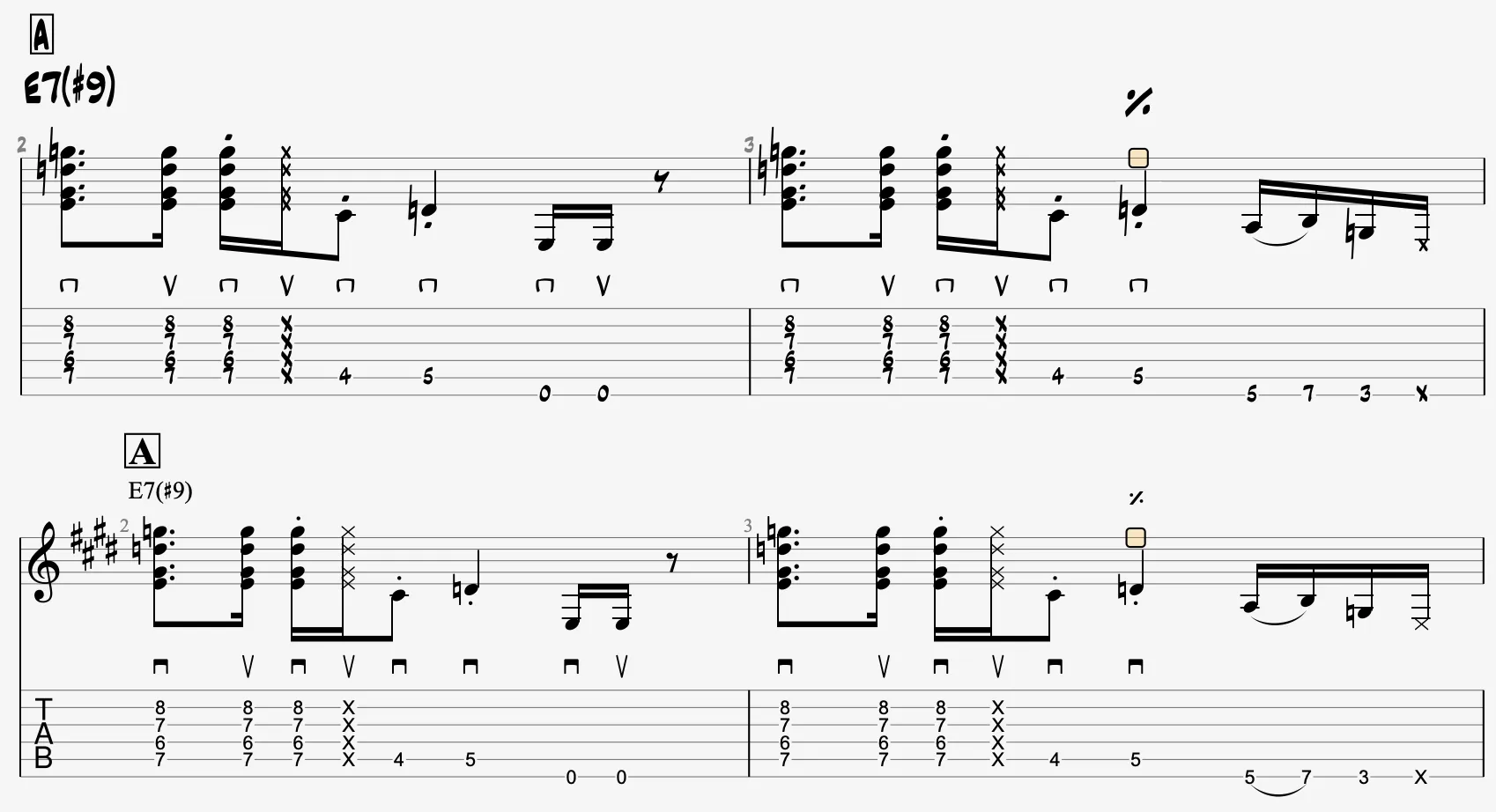
- Apply a global style: Choose a Classic or Jazz style for musical symbols.
The following image shows the difference between Jazz (above) and Classic (below) styles:
- Customize symbols: Modify the font and rename the following musical symbols:
- Let Ring
- Palm Mute
- Slide
- Hammer-On
- Pull-Off
- Slap
- Pop
- Pick Scrape
- Rasgueado
- Whammy Bar Indication
- Let Ring
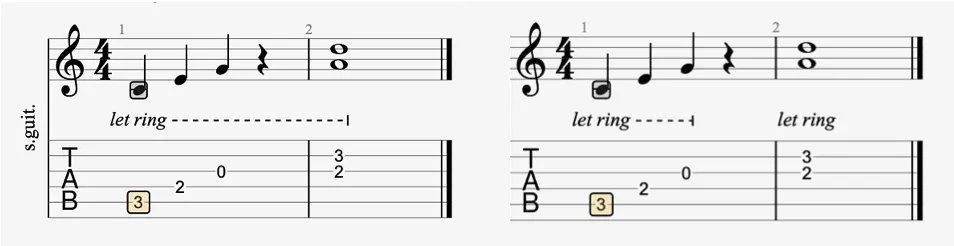
- Extend symbol lines: Enable or disable extending symbol lines over rests, as shown below: