Let Ring in Guitar Pro 8
The Let Ring option in Guitar Pro extends the resonance of a note beyond its written duration.
Accessible via the Editing Palette and the Effects menu, this effect allows notes to continue sounding after being played.
Understanding Let Ring
Let Ring sustains the vibration of a note or chord after its attack, preventing immediate decay.
In Guitar Pro, it prolongs the resonance of notes and chords.
Applying Let Ring in Guitar Pro 8
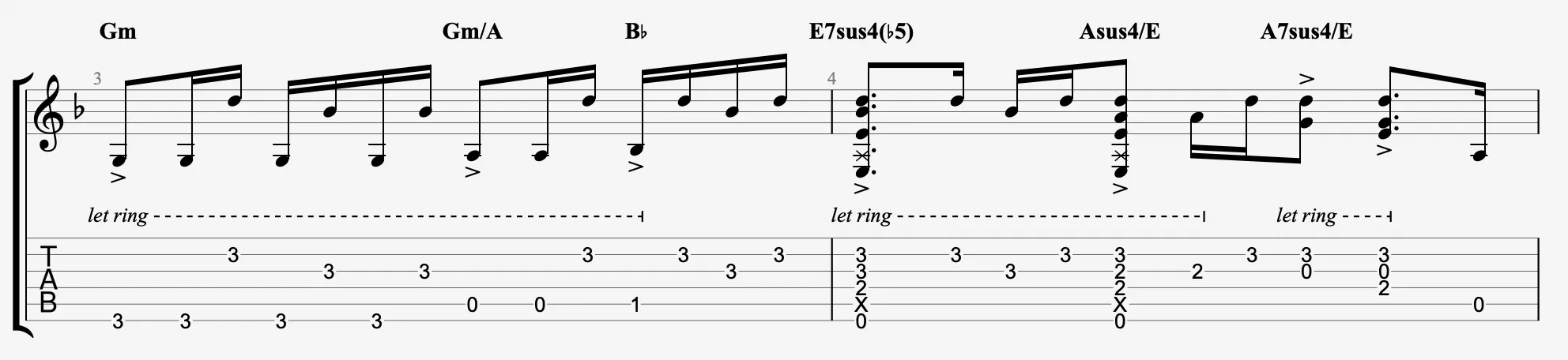
Select the area where you want to apply Let Ring in the score, then activate the  icon in the Editing Palette.
Guitar Pro adds the Let Ring annotation followed by dashes for all affected beats, extending the resonance during playback.
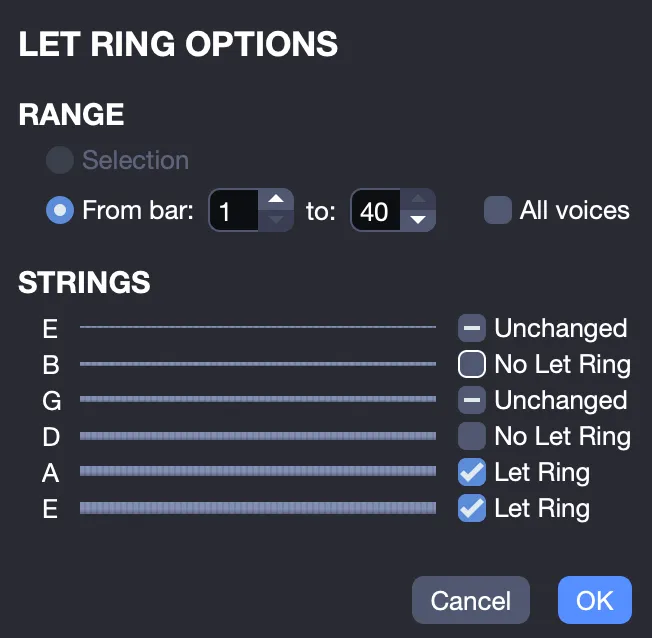
String-Specific Control with the Let Ring Assistant
Access the Let Ring Assistant from the Tools > Let Ring Options menu, and apply the effect to specific strings across multiple bars to control where it is applied.
Automatic Let Ring
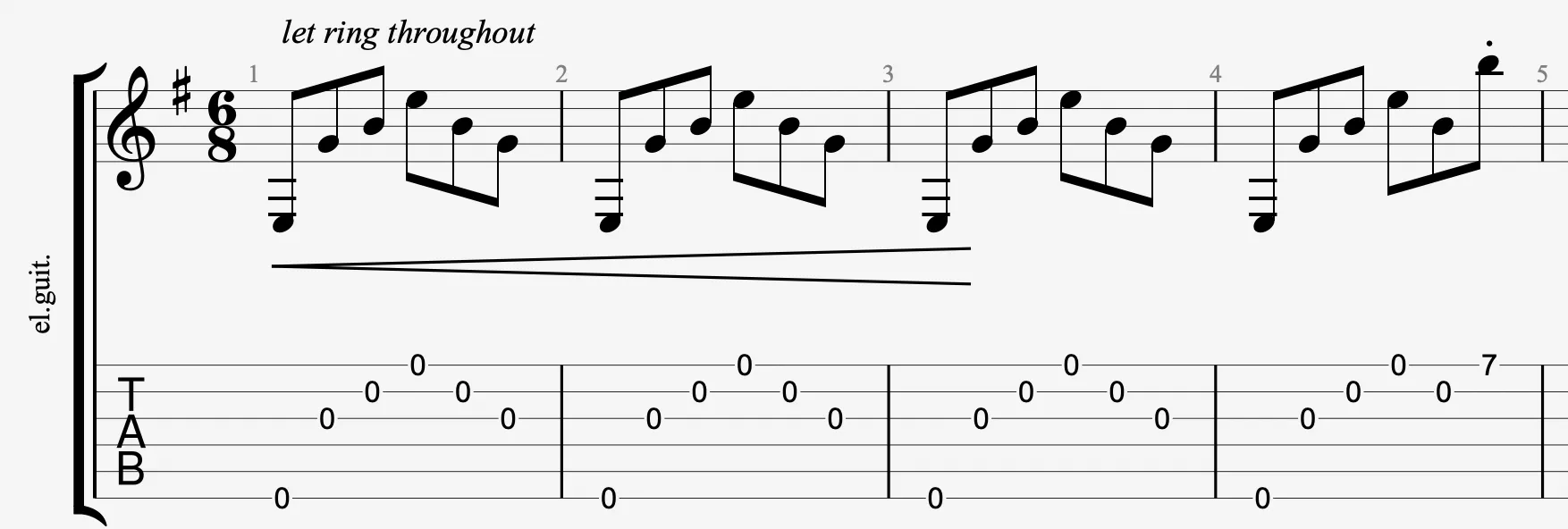
Enable the Auto Let Ring option in the Track Inspector (Interpretation section). The effect will apply to the entire track, automatically prolonging the resonance of all notes.
The Let Ring Throughout indication appears at the beginning of the track.